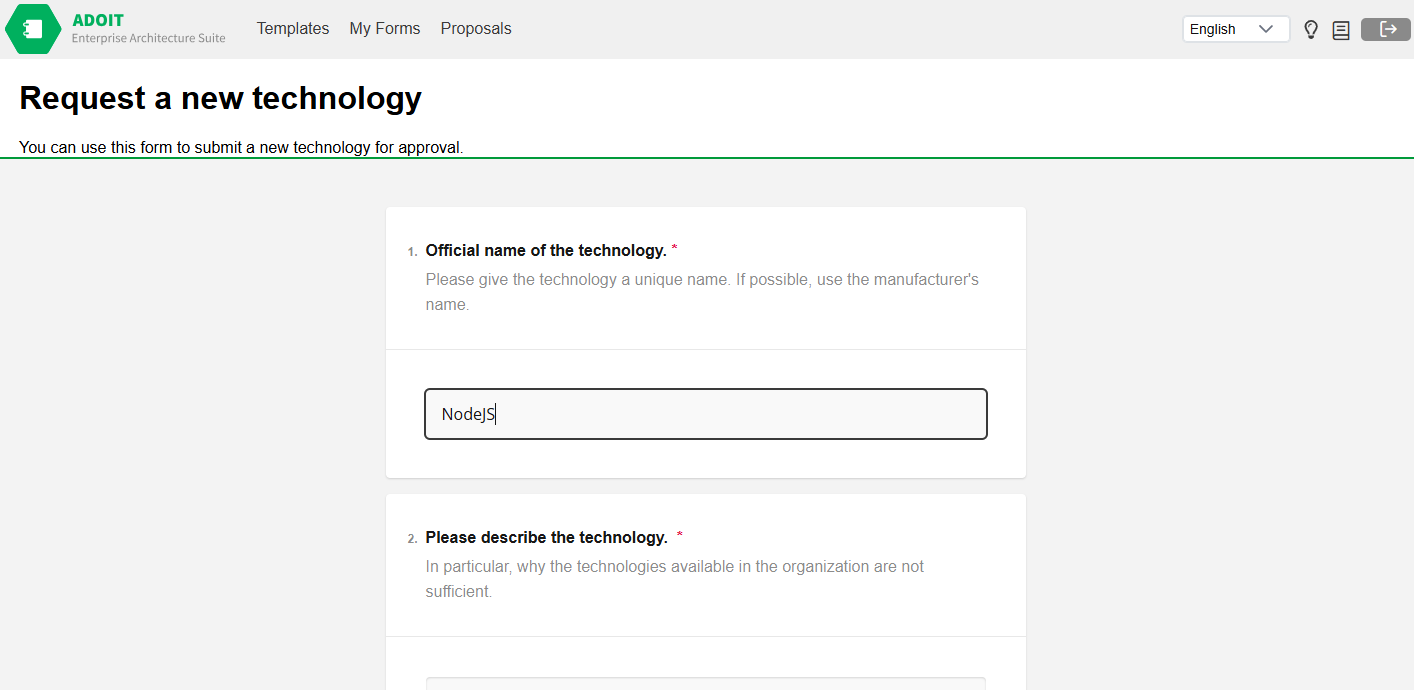
Propose a new object
ADOIT Forms enables you to easily propose new objects for your ADOIT, like a new Application Component or a System Software, by using proposal Forms.
The details on how to connect to your ADOIT installation are described in the OAuth section.
How to access proposal Forms
You can access proposal Forms by opening the Proposals view at ADOIT Forms (boc-cloud.com)
The Proposals view is only available, if there is at least one proposal Form accessbile for your user.
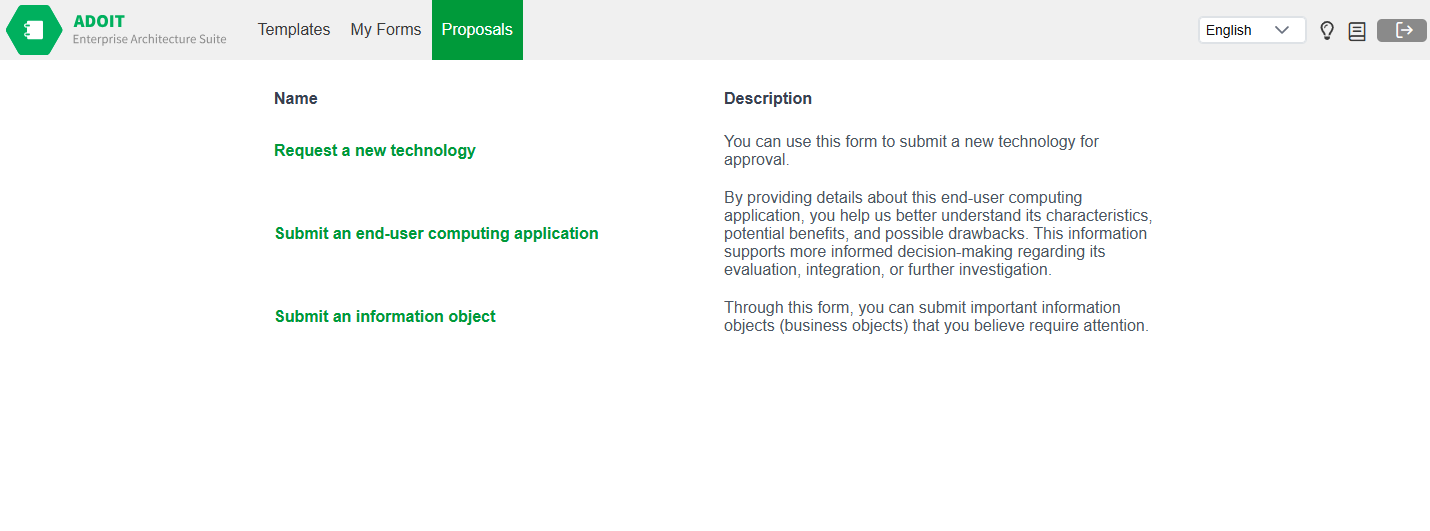
In this view you can see a list of all proposals Forms your ADOIT user has access to.
Name: Click on the name to open the proposal Form.
Description: Details of the proposal Form.
How to complete a proposal Form
A Form consists of a set of questions. Every question is of a specific question type like free text, dropdown, date or references. Mandatory questions are marked with a red *.
You must enter an unique name for the object you are proposing. If an object with the same name already exists, the proposal cannot be completed successfully.
After you have updated all questions, the Form can be submitted by clicking on Submit. After the changes are saved, a success report is displayed. Note that in case approval is not required, a new object is created directly in the repository. Otherwise, it is sent to the review.
The feature of proposals approval is available for ADOIT version 18.0 or newer.
The selected ADOIT Forms user interface language may differ from the ADOIT data language, which depends on the template settings.