Enterprise Data Model
Introduction
Enterprise Architecture makes business data visible and governable. It reveals which data is business-critical, where it is used, and who is responsible for it. This provides the foundation for informed decisions, effective governance, and compliance with regulations such as DORA and the EU AI Act.
Enterprise Data Models address this by focusing on business-relevant information concepts, independent of physical databases or schemas.
This pattern describes a lean approach to modelling Enterprise Data Models in ADOIT using ArchiMate, aligned with the ADOIT Lean Profile and optimized for analysis and governance.
Design Principle
Model Data for Understanding, Not for Implementation
Our enterprise data models are intended to describe what the business cares about - not how data is stored.
The goal is shared understanding and impact analysis, not technical data design.
One Logical Data Model
Enterprise Data Models are kept logical and flat.
- No physical tables
- No attributes or columns
- No system-specific variants
For modelling details and system-specific variants we use the ArchiMate element Data Object, which is not part of the pattern at hand.
Modelling Structure
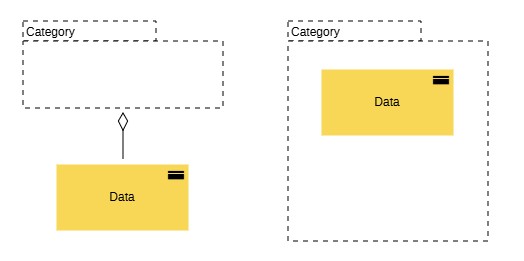
Each core business information concept is modelled as a Business Object.
Typical examples include:
- Customer
- Order
- Invoice
- Flight
- Asset
These data elements are:
- business-oriented,
- stable over time,
- independent of system-specific schemas.
Structuring Business Objects with Grouping
Related Business Objects are organized using Grouping.
Grouping is used purely for structuring and navigation, not for functional semantics.
 Grouping → Aggregation → Business Object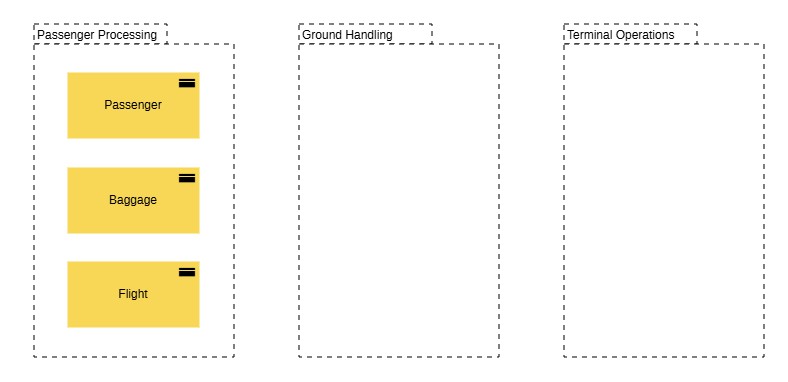
Linking Data to Applications and APIs
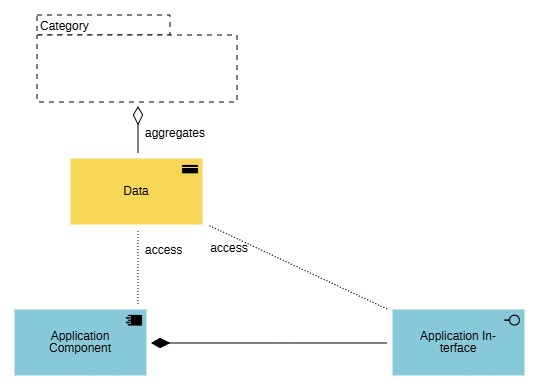
Business Objects are linked to:
Application Components that create or use them,
Application Component → Access → Business ObjectApplication Interfaces (APIs) that expose or consume them.
Application Interface → Access → Business Object
This enables impact and dependency analysis across the architecture.
Modelling Pattern
Do / Don't - Enterprise Data Modelling
 Do
Do- Model business data concepts as Business Objects.
- Use Grouping for structure and orientation.
- Reuse Business Objects across application components and APIs.
- Keep the data model logical and technology-independent.
 Don't
Don't- Don't model database tables or schemas.
- Don't add attributes or columns.
- Don't duplicate Business Objects per application.
- Don't mix physical and logical data views.
Scope and Intent
This pattern supports:
- data ownership and governance discussions,
- impact analysis for changes,
- consistent API and integration modelling.
It is not intended to:
- replace logical or physical data models,
- document database design,
- model data storage or replication.