Solution Guide - Technology Lifecycle Management
Thank you for your interest in our ADOIT solutions! We are excited to help you transform your Enterprise Architecture initiatives into actionable results.
Before You Start
This guide assumes that you’ve already completed the ADOIT Quick Start Guide. If your ADOIT environment is already set up, you can start directly with the Technology Lifecycle Management Solution Guide.
Manage Your IT Landscape with Confidence
Technology moves fast. What is standard today might be unsupported and risky tomorrow. Outdated technologies increase technical debt, cause unnecessary costs, and slow down your ability to innovate. Technology Lifecycle Management helps you bring transparency to your stack and manage risks proactively before they become urgent.
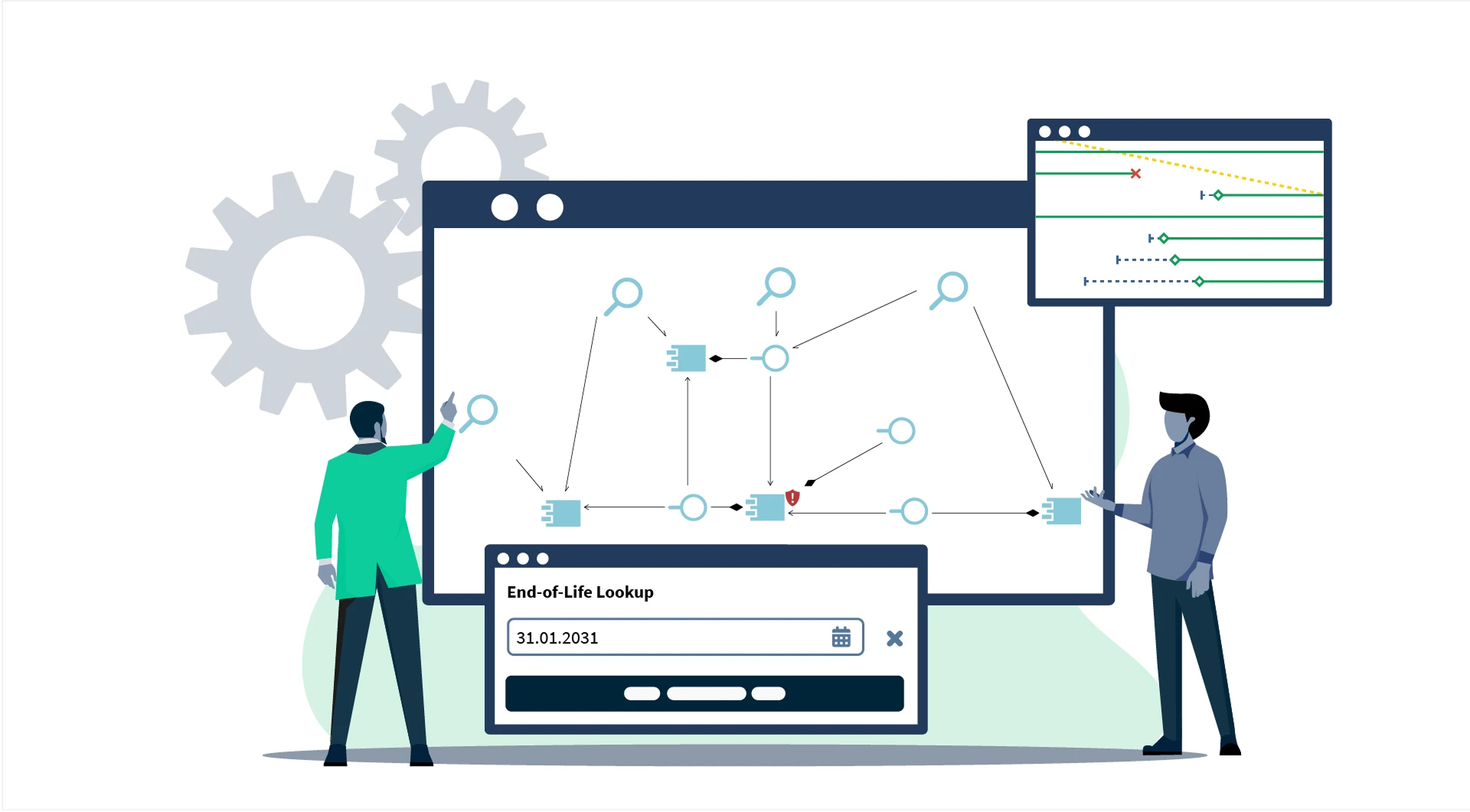
It is not just about keeping lists of software and servers. It is about understanding which critical applications rely on which technologies. By tracking end-of-life dates and establishing clear ownership, you build a solid foundation to retire legacy systems on time and keep your IT landscape modern, secure, and future-ready.
Why Technology Lifecycle Management in ADOIT
Effective technology management requires more than isolated spreadsheets. ADOIT connects your technology landscape directly to your business architecture. You can instantly see the impact of an expiring database version on your applications and business processes. With features like AI-supported lookup for lifecycle data and integrated roadmaps, you turn simple administration into strategic foresight.
This empowers you to uncover hidden risks, coordinate updates together with application owners, and make smarter investment decisions based on reliable data.
How it Works in ADOIT
To maximize the value of Technology Lifecycle Management, we recommend having your Application Portfolio established first. At a minimum, a list of Application Components is required to map dependencies and identify risks effectively.
You can find more information on Application Portfolio Management in ADOIT in our dedicated Solution Guide.
Choose the lean metamodel profile as a starting point
As already recommended in the ADOIT Quick Start Guide choose the ‘ADOIT for Lean Architecture Fans’ metamodel profile. It is a proven and pragmatic starting point that keeps things simple while still allowing meaningful analysis.
It simplifies the complexity of ArchiMate while ensuring you have all the objects and relations needed to fully use our offered solutions and sample models.
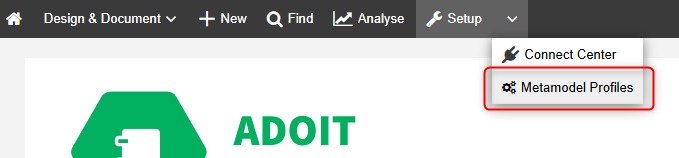
From there you can expand step by step once you know which elements and relationships are actually needed for your Technology Lifecycle Management practice.
Establish a clear technology (reference) model
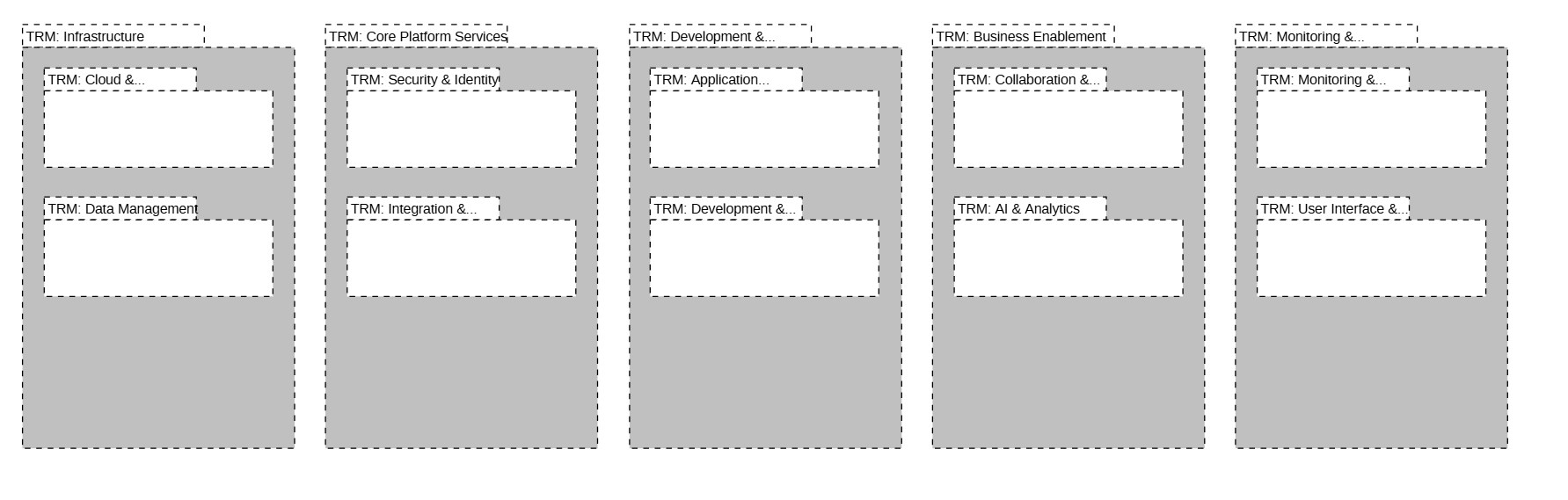
Bring structure to your IT landscape by defining a scalable reference model. By organizing technologies into logical domains and assigning clear ownership, you create a solid foundation for smarter architectural decisions. This results in a highly organized tech landscape where every technology has a clear place and purpose.
Steps:
Create the folder structure. Open the Object Explorer and create a new folder named “Technology Domains”.
Define your domains. We recommend defining technology domains on two levels to maintain a clean overview (e.g., Level 1: "Data Storage", Level 2: "Relational Database Systems").
Create folders for each high-level technology domain.
Create the technology domains. Use the element type “Grouping” to represent them. This allows you to cluster specific technologies later.
Get full visibility across IT
The real value of technology management lies in understanding dependencies. Connect applications with the technologies they rely on to visualize and understand dependencies. This step improves data accuracy, uncovers hidden risks, and provides accurate technology mapping across your entire architecture.
Steps:
- Collect your technologies. Within your domain folders, collect all technologies on level of major version. Use elements of type “System Software” to define the technology products in use.
Keep it lean: Define technologies only on the level of the Major Version (e.g., "Oracle 19c"). Do not go deeper (e.g., patches or minor builds). Detailed versioning is typically irrelevant for strategic EA activities and causes unnecessary maintenance work.
- Fill in the essentials. For each System Software element, fill-in at minimum:
- Name: Include the Major Version.
- Responsible Person: Who manages this technology?
- Application Components that use this System Software via Relation “System Software -> serves -> Application Component”.
- Add incoming relations “aggregates” from Grouping that represents the lowest level of technology domain.

Stay ahead of end-of-life
Don't let expiration dates surprise you. Track lifecycles using ADOIT’s intelligent features to achieve Technology Lifecycle Control. By using AI-supported lookups, you can track expiry dates, plan replacements before they become urgent, ensuring proactive risk mitigation and reducing downtime.
Steps:
Enrich with AI. Use the AI-based ‘End-of-Life Lookup’ in the notebook of an object. It will not only find defined EOL dates from online sources but also provide a prognosis on upcoming EOL dates based on historical data patterns.
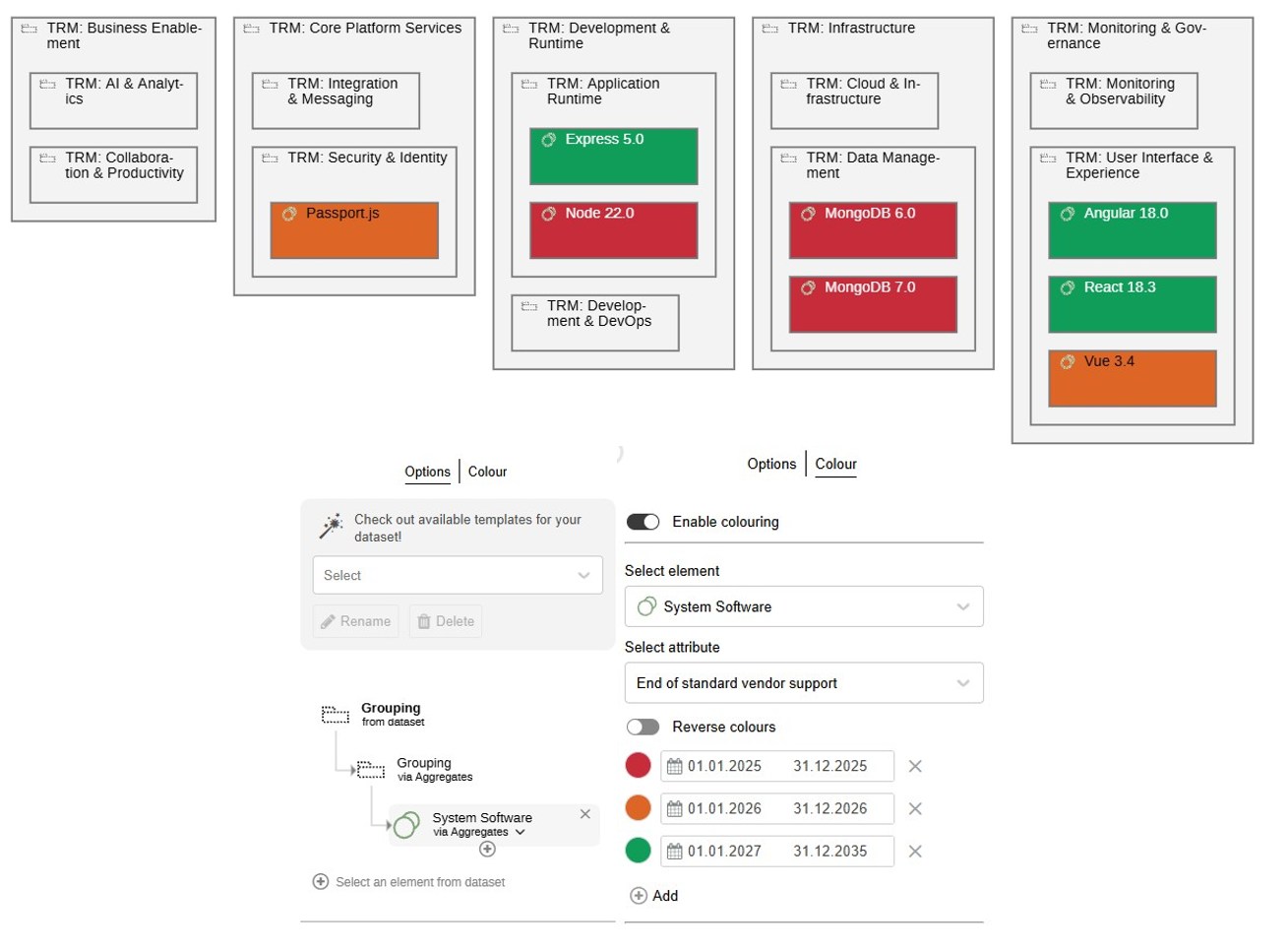
Create an analysis to track expiry dates via colour coding:
- Create a search that retrieves your first level groupings (Domains) restricted to the relevant folders.
- From your search results, create a Box-in-Box visualization to show when technologies will reach their end-of-life.
- For the Box-in-Box visualization use the following hierarchy: First level Groupings (Domains) → Groupings (Sub-domains) → System Software.
- Use colour coding to visualize expiry dates.
See what’s at risk
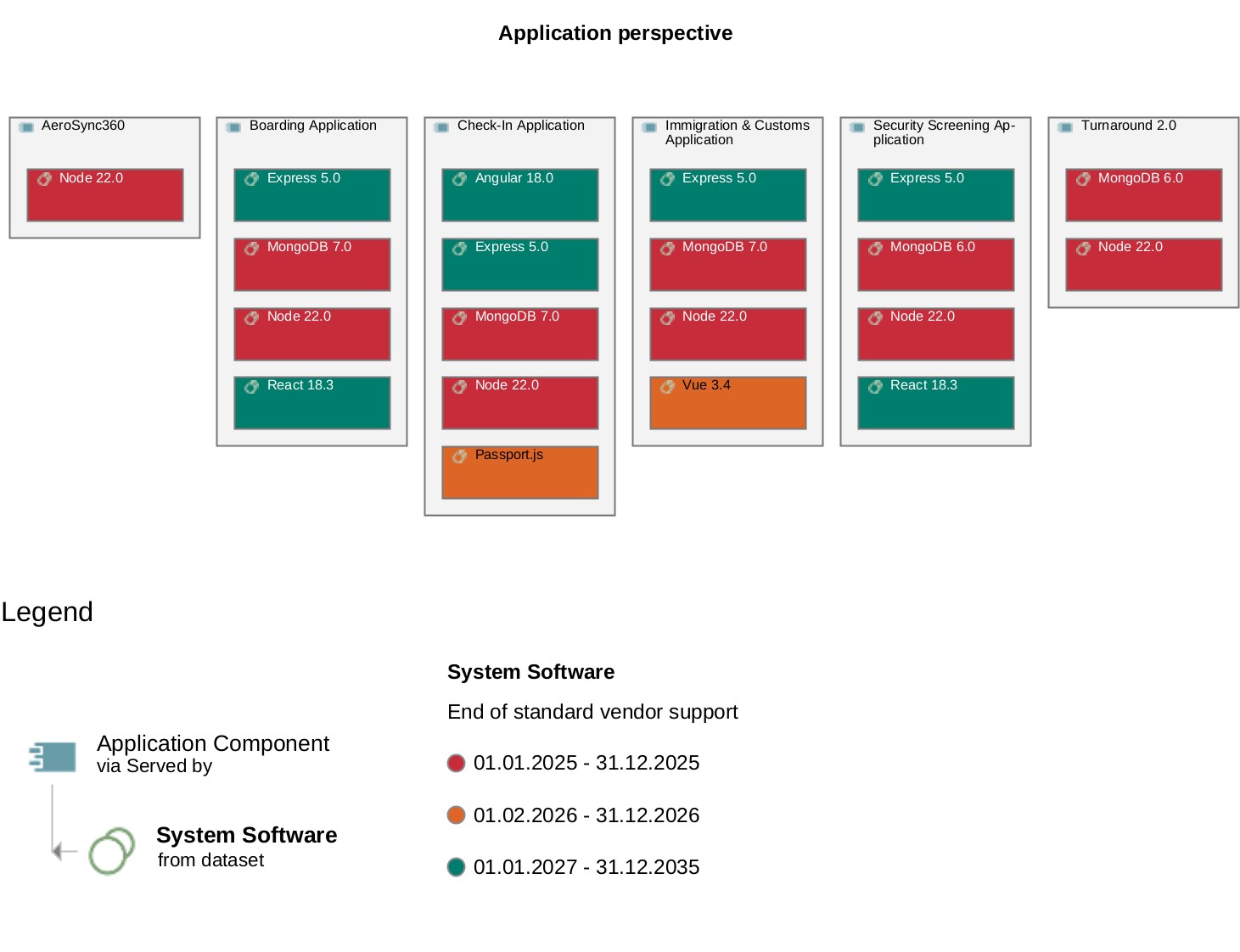
Understanding the technology is one thing; understanding the business impact is another. Identify which applications depend on expiring technologies to ensure Service Continuity. This view prioritizes updates and creates necessary Application Risk Awareness among stakeholders.
Steps:
Create an analysis to visualize the expiry dates via colour coding from the perspective of your application components:
- [Create a search](https://docs.boc-group.com/adoit/en/docs/user_manual/searc-000000/#searc-E00000) that retrieves your application components restricted to the relevant folders.
- From your search results, create a [Box-in-Box visualization](https://docs.boc-group.com/adoit/en/docs/user_manual/modwv-00000/#modwv-01500) to show which technologies will reach their end-of-life that serve your application components.
- For the [Box-in-Box visualization](https://docs.boc-group.com/adoit/en/docs/user_manual/modwv-00000/#modwv-01500) use the following hierarchy: Application Component → served by → System Software.
- Use colour coding to visualize expiry dates.
Alternatively, you can also visualize the applications and underlying system softwares grouped by capabilities: Capability → realized by → Application Component → served by → System Software.
Keep the data updated
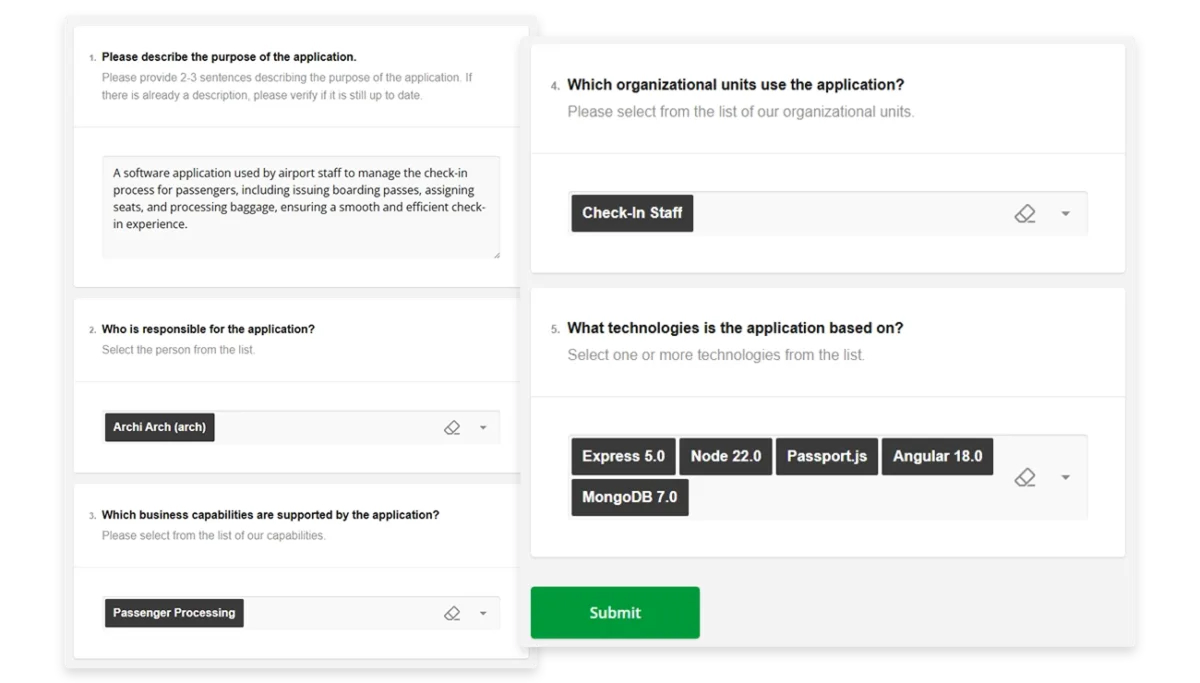
Technology portfolios change constantly. To maintain Sustainable Data Quality, you need to distribute the maintenance effort. Use ADOIT Forms to establish Distributed Maintenance, allowing experts and application owners to contribute updates easily without needing deep repository knowledge.
Steps:
- Request new technologies. Use the predefined form “Request a new technology” to allow colleagues to suggest new technologies for the portfolio. You can find the predefined forms under “Templates” and "Import best practice templates”.
- Review regularly. Use the predefined form “Technology: Data Update” to ask technology owners to review and update versions and lifecycle dates on a regular basis.
- Know what's in use. Use the predefined form “Application: Data Update” (as mentioned in the Application Portfolio Management solution guide) and ensure the section for selecting the underlying Technologies is active. This lets Application Owners document their own dependencies.
ArchiMate Elements and Relations for this Solution
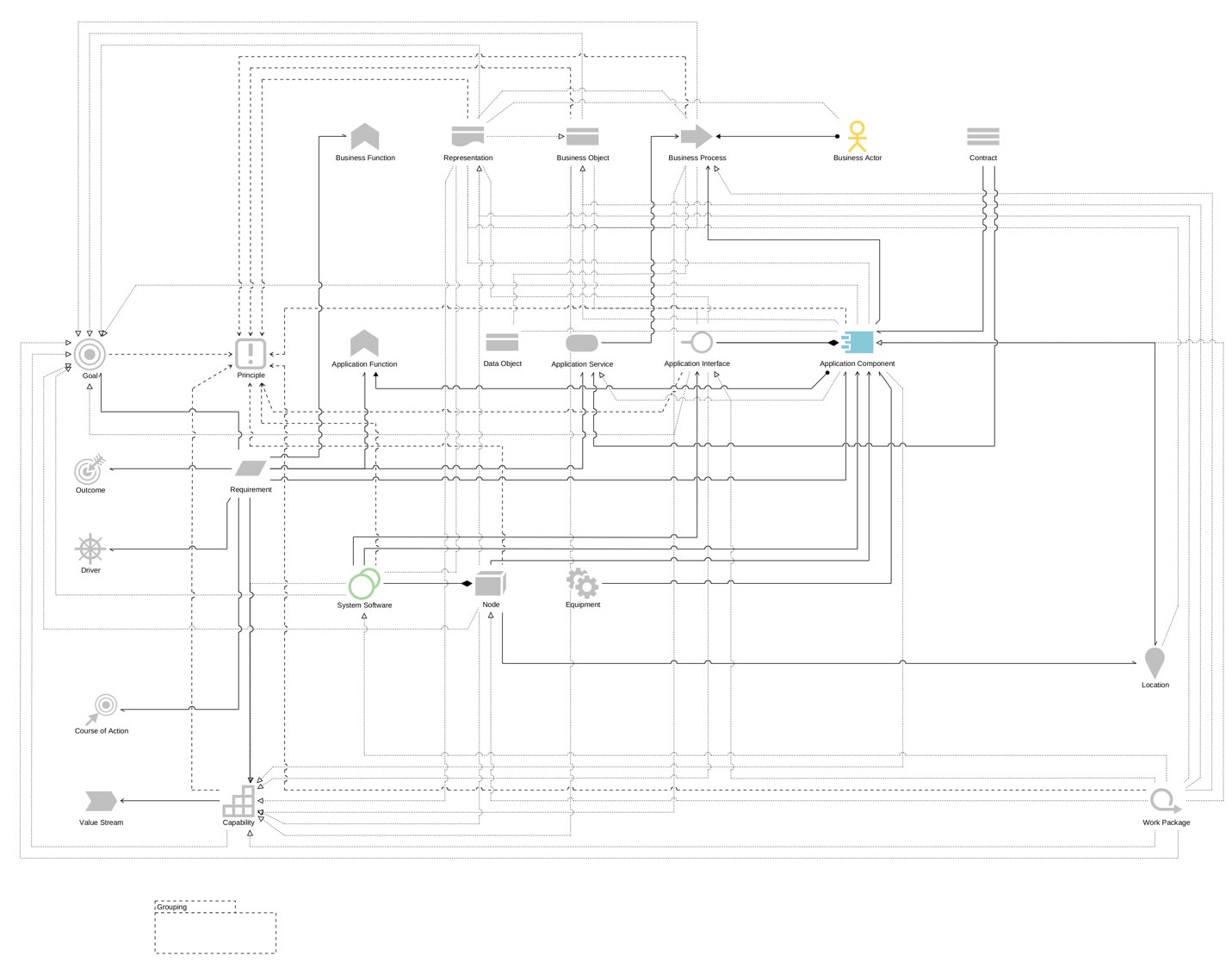
If you use the ‘ADOIT for Lean Architecture Fans’ metamodel profile as recommended earlier in this guide, the following elements and relationships will be used for this solution: