Solution Guide - Capability-based Planning
Thank you for your interest in our ADOIT solutions! We are excited to help you transform your Enterprise Architecture initiatives into actionable results.
Before You Start
This guide assumes that you’ve already completed the ADOIT Quick Start Guide. If your ADOIT environment is already set up, you can start directly with the Capability-based Planning Solution Guide.
Plan Investments Where They Matter Most
Capability-based Planning helps you focus on what your organization really needs to be good at. Capabilities give you a simple, business-friendly view that connects strategy, architecture, and execution without getting lost in details.
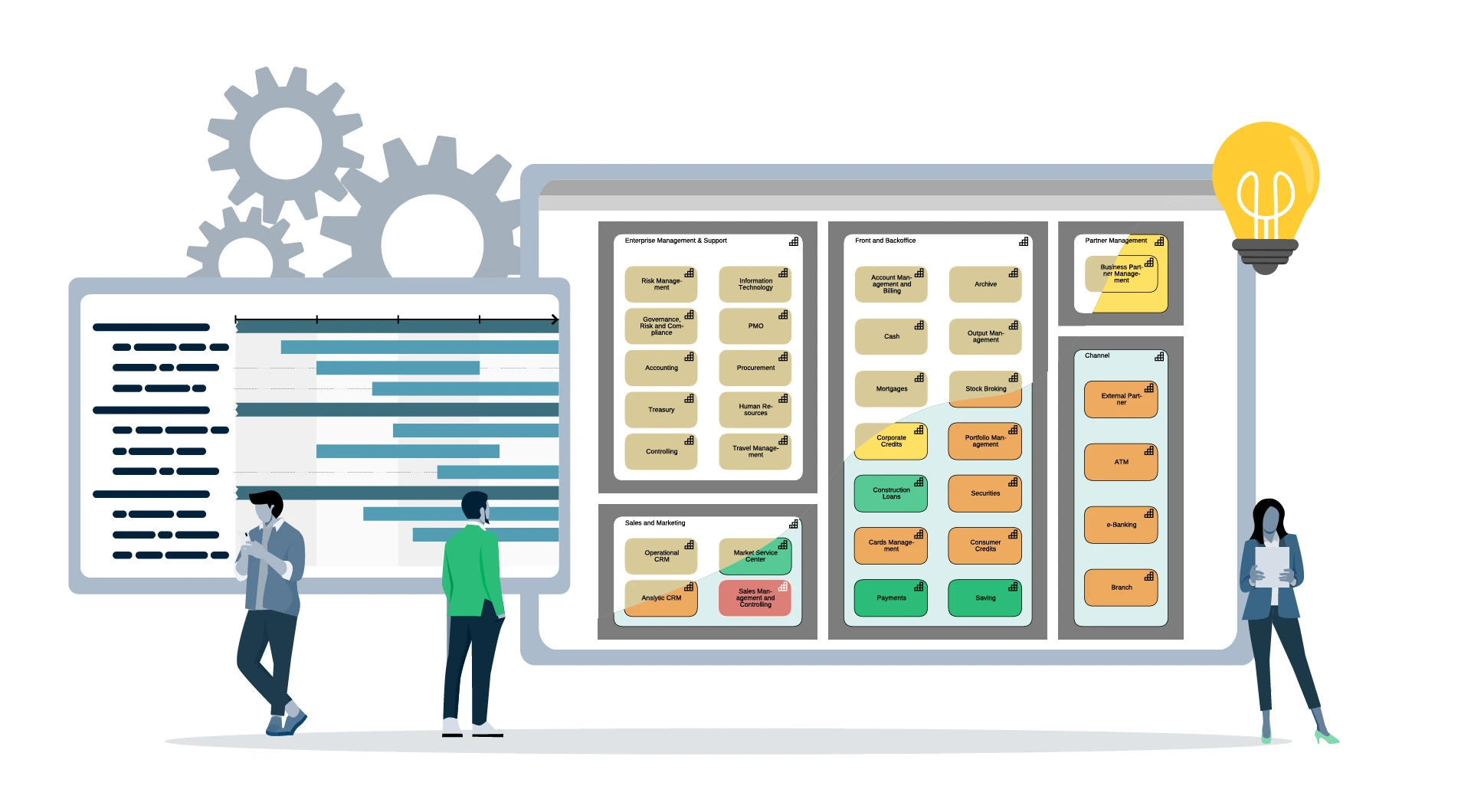
You don’t start with systems or technologies. You start with the Capabilities that matter for your strategy. You look at where they stand today, where they need to improve, and where investment will create real value.
Capability-based Planning creates a shared planning foundation for business and IT. Capabilities act as a common language that makes priorities visible, discussions easier, and decisions more aligned.
Why Capability-based Planning Matters in ADOIT
Capability-based Planning works best when business and IT plan together. It’s about collaboration, not complexity.
ADOIT workspaces are designed to support exactly this. They guide teams through planning step by step and make it easy for everyone to contribute. Business experts bring context, IT adds architectural insight, and no one needs to be a modeling expert to participate.
The result is a lightweight, collaborative planning approach that helps teams agree on priorities, steer investments, and turn strategy into action without turning it into an IT-only project.
How it Works in ADOIT
Choose the lean metamodel profile as a starting point
As already recommended in the Quick Start Guide choose the 'ADOIT for lean Architecture Fans' metamodel profile. It is a proven and pragmatic starting point that keeps things simple while still allowing meaningful analysis.
It simplifies the complexity of ArchiMate while ensuring you have all the objects and relations needed to fully use our offered solutions and sample models.
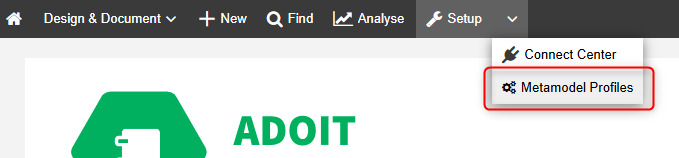
From there you can expand step by step once you know which elements and relationships are actually needed for your Capability-based Planning practice.
Map what drives your business
Visualize how your organization creates value – from customer request to delivery. Give everyone a shared view of your core capabilities and where they contribute most.
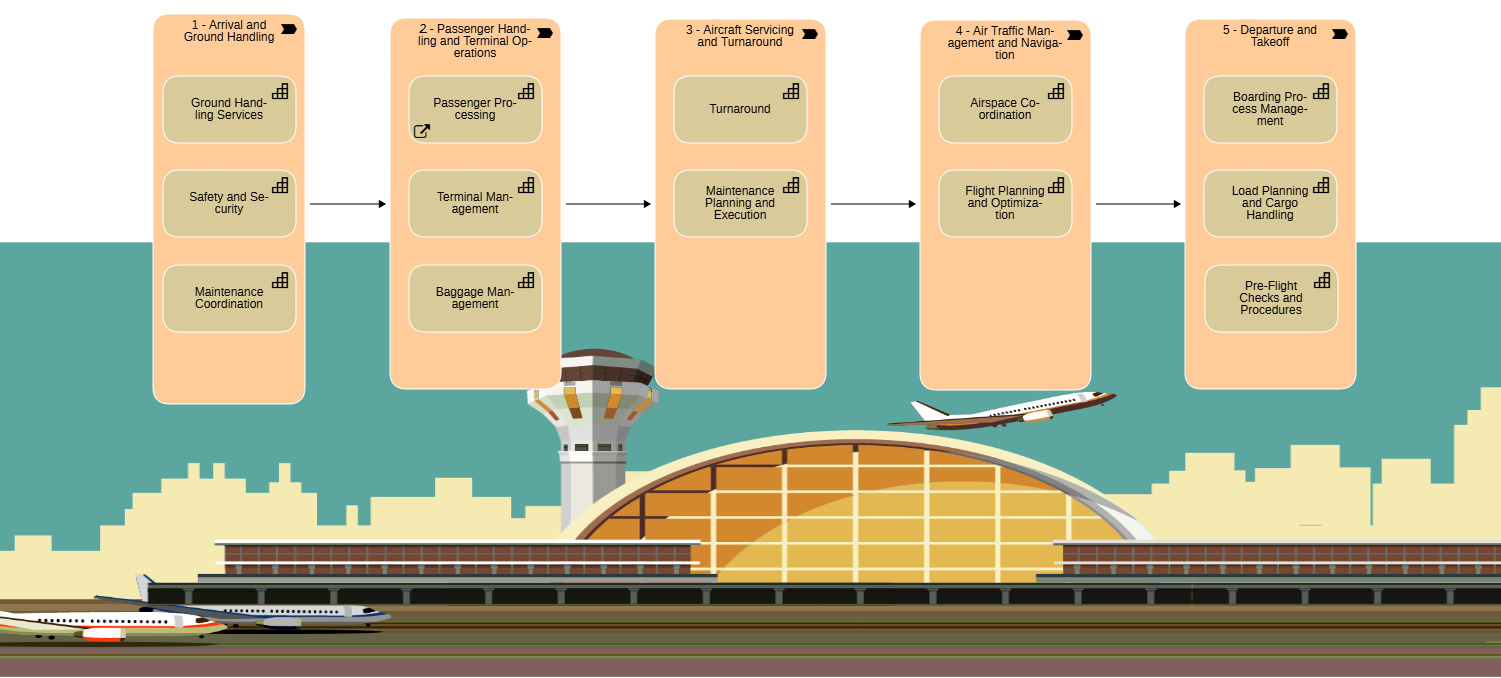
In this step we create the capability map. It consists of a model of type ‘Architecture Diagram’ and objects of type ‘Capabilities’. For nice look and feel you can pimp it with graphics as we did.
If you have already defined a value stream or created a corresponding model, you can use it right away in the following steps.
Steps:
Open the Objects Explorer. Choose / create a folder where you want to store your Capabilities.
Open the Model Explorer. Choose / create a folder where you want to store your Capability Map model and create a ‘Architecture Diagram’ via the ‘New’ tab in the toolbar. Give your new Capability Map model a name.
Open your Capability Map model and start placing Value Streams and Capabilities on the modeling canvas.
Plan for about 50–100 Capabilities in total (that’s typical for many organizations).
Run short workshops with your colleagues to collect and refine your Capabilities together.
Use generic Capability Maps as inspiration if you like - but the best results come from building a map that fits your organization.
If you want a quick walkthrough, check out our online training.
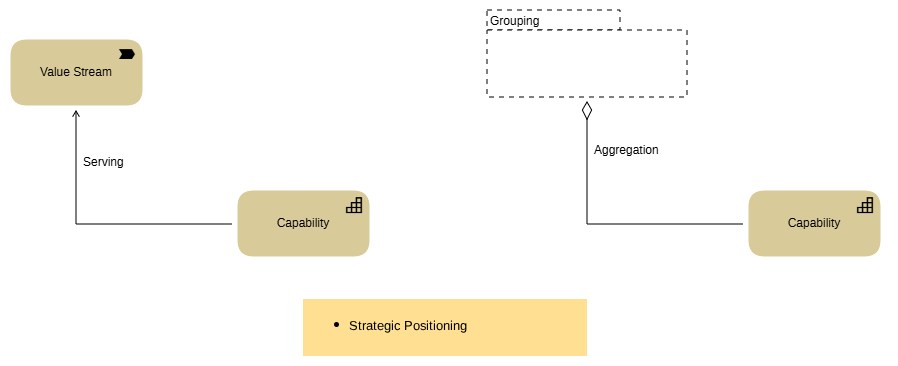
For ArchiMate experts…
Reveal what powers each capability
See how each capability is supported by systems, processes, and people. Understand dependencies and uncover where change will have the biggest impact.
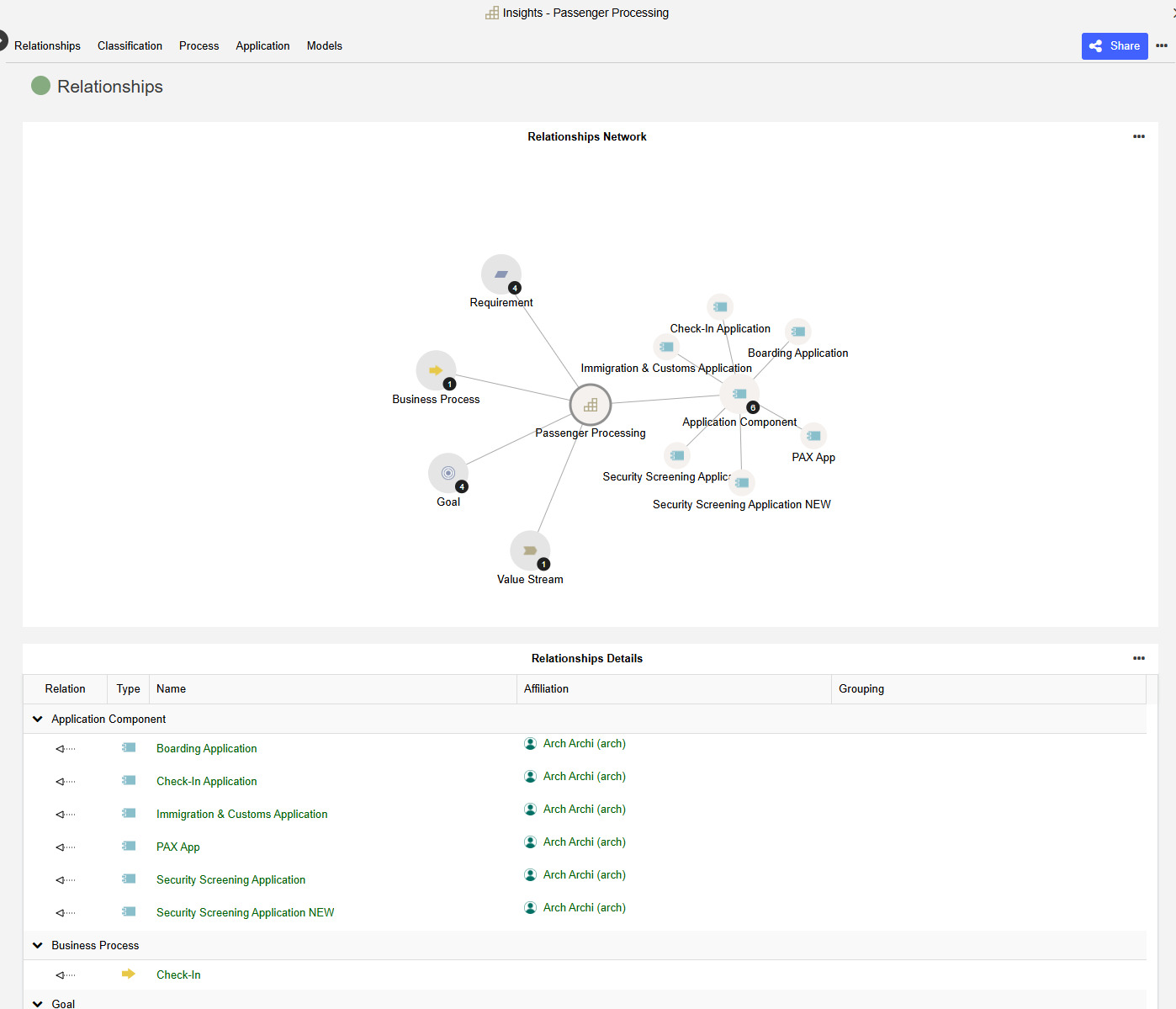
For now, there’s not much to see here.
The insights will automatically grow once you start linking other Elements, such as Application Components or Processes, to your Capabilities.
At this stage, it’s enough to know that this information will become more valuable as your architecture evolves.
Pinpoint what needs improvement
Evaluate each capability’s performance, business fit, and strategic relevance in the object's notebook under the chapter 'Classification'. Use heatmaps to quickly identify strengths, weaknesses, and high-priority areas.
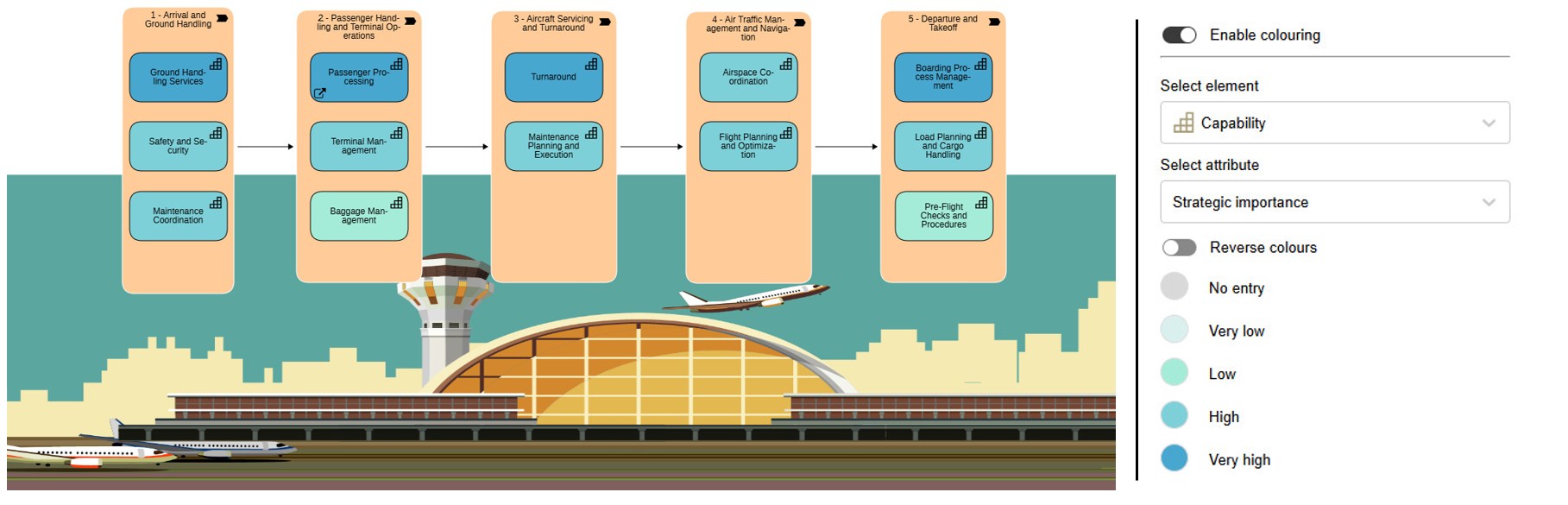
Communicate the results clearly. The best way to do this is by using your Capability Map. The more often you use it, the more familiar it becomes to your peers.
Over time, the Capability Map turns into a shared language. Your colleagues will start to trust it, use it, and rely on it as the joint planning basis for roadmap and investment decisions.
Steps:
Open Scenario Workspaces.
Create a Capability Investment Planning workspace.
Invite colleagues to join.
Add Capabilities from your repository, assess Strategic Importance and Capability Maturity, and set the Investment Strategy.
Show the results in your Capability Map using color coding with the attribute ‘Strategic importance’.
Plan the way forward
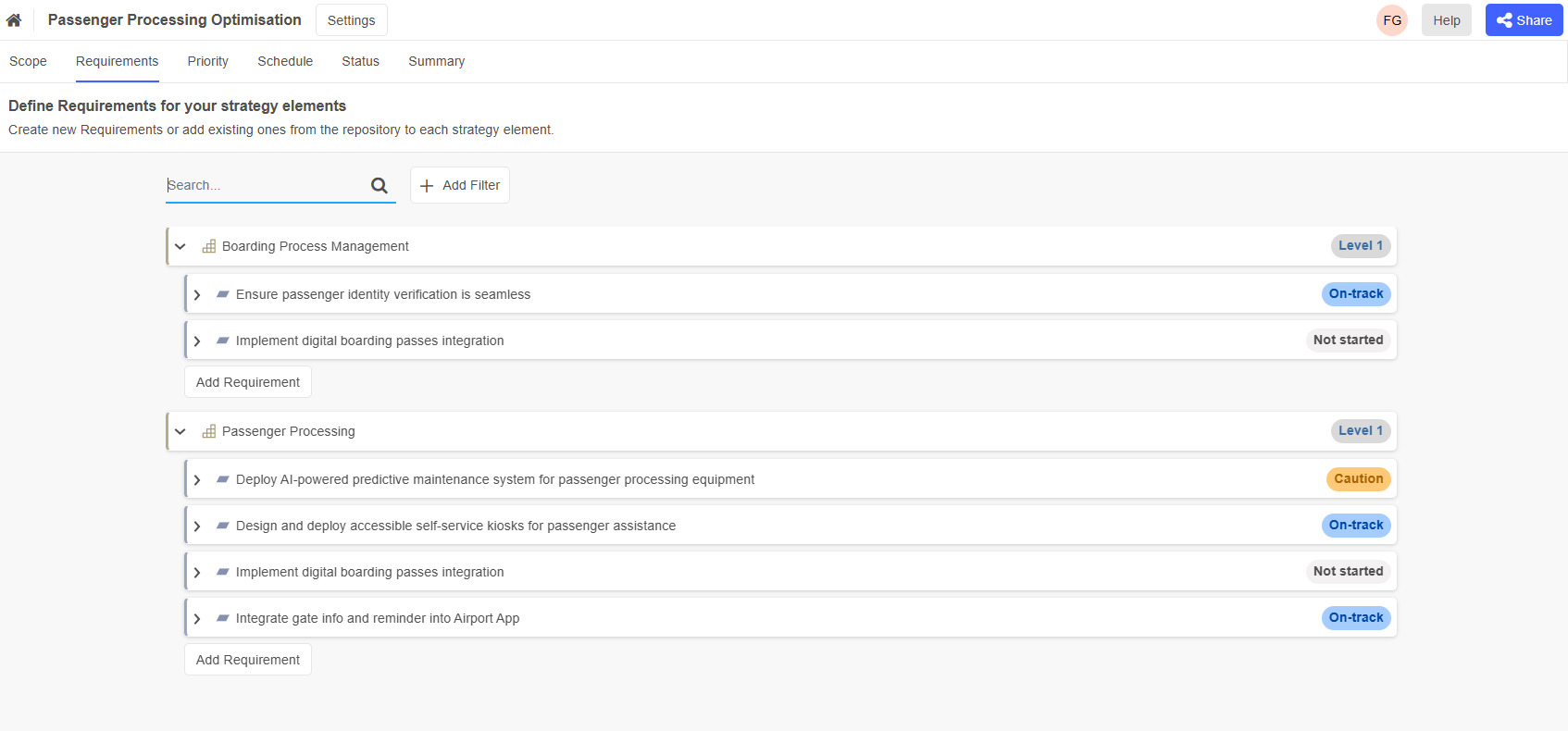
Define what needs to change, assign ownership, and outline the improvements required. Move from analysis to a clear, actionable plan.
Steps:
Open Scenario Workspaces.
Create a workspace of type Capability-based Roadmap.
Define suitable planning timeframes. In most cases, quarterly planning works well.
Invite colleagues to join.
Work through the workspace together with your subject matter experts:
- Add the relevant Capabilities
- Define Requirements
- Evaluate importance, priorities, and dependencies
If you’re working with many Capabilities, it can make sense to create separate workspaces per Capability or Capability group. To keep things simple, this guide explains the steps using a single roadmapping workspace.
- Track your requirements
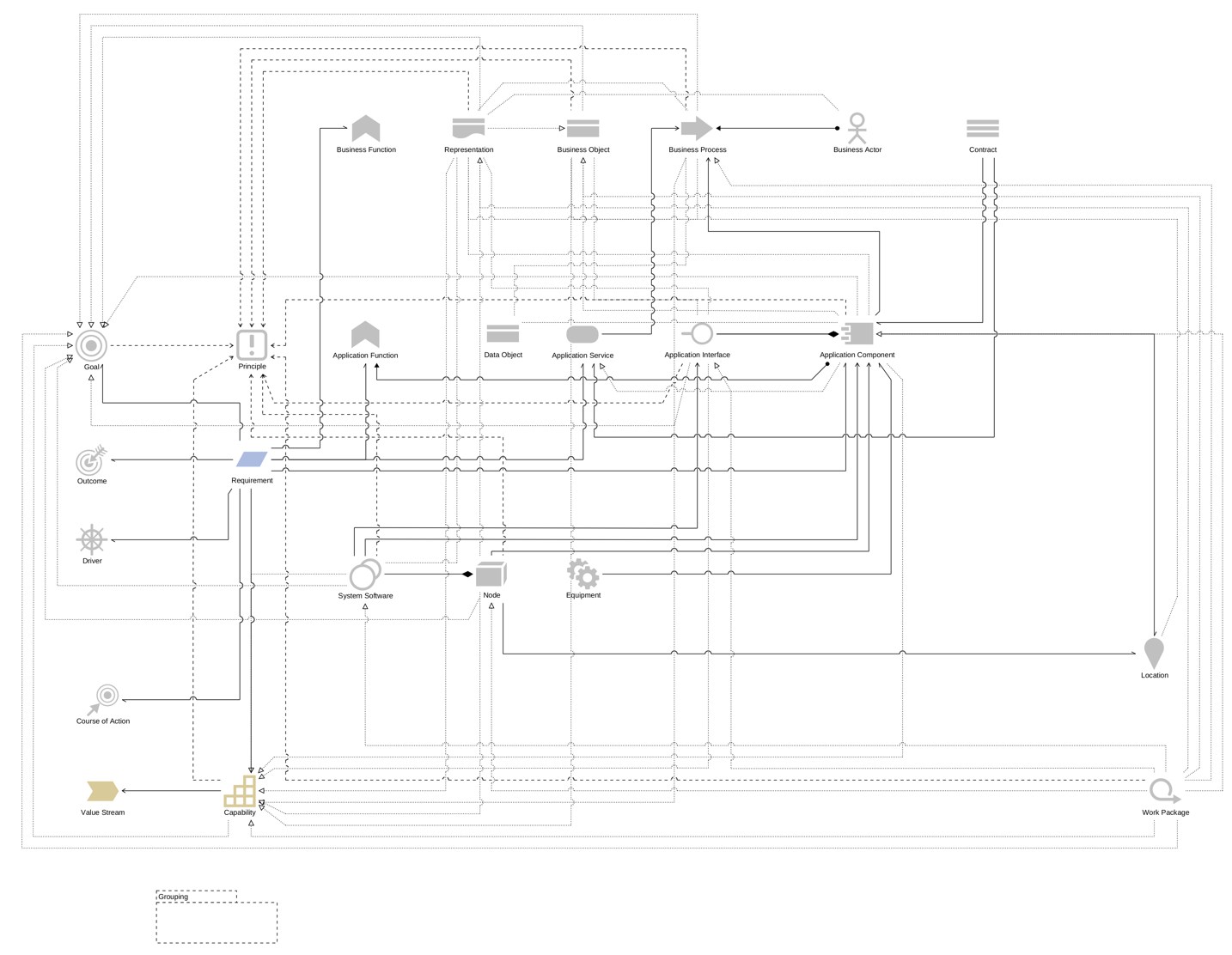
ArchiMate Elements and Relations for this Solution
If you use the ‘ADOIT for Lean Architecture Fans’ metamodel profile as recommended earlier in this guide, the following elements and relationships will be used for this solution: