New Features in ADONIS 18.0
Get ready for the next major release of ADONIS! ADONIS 18.0 introduces exciting new features that elevate usability, AI-powered design, and process analysis, helping you model, explore, and manage your business processes more efficiently than ever before.
ADONIS 18.0 is available only for SaaS customers hosted on AWS. All SaaS and on-premise customers will be able to upgrade to ADONIS 19.0 LTS, planned for release at the end of Q2 2026.
New Features for All Users
AI Assistant: Process Extraction
ADONIS 18.0 introduces AI-powered process extraction, designed to convert your Standard Operating Procedures (SOPs) into structured process models.
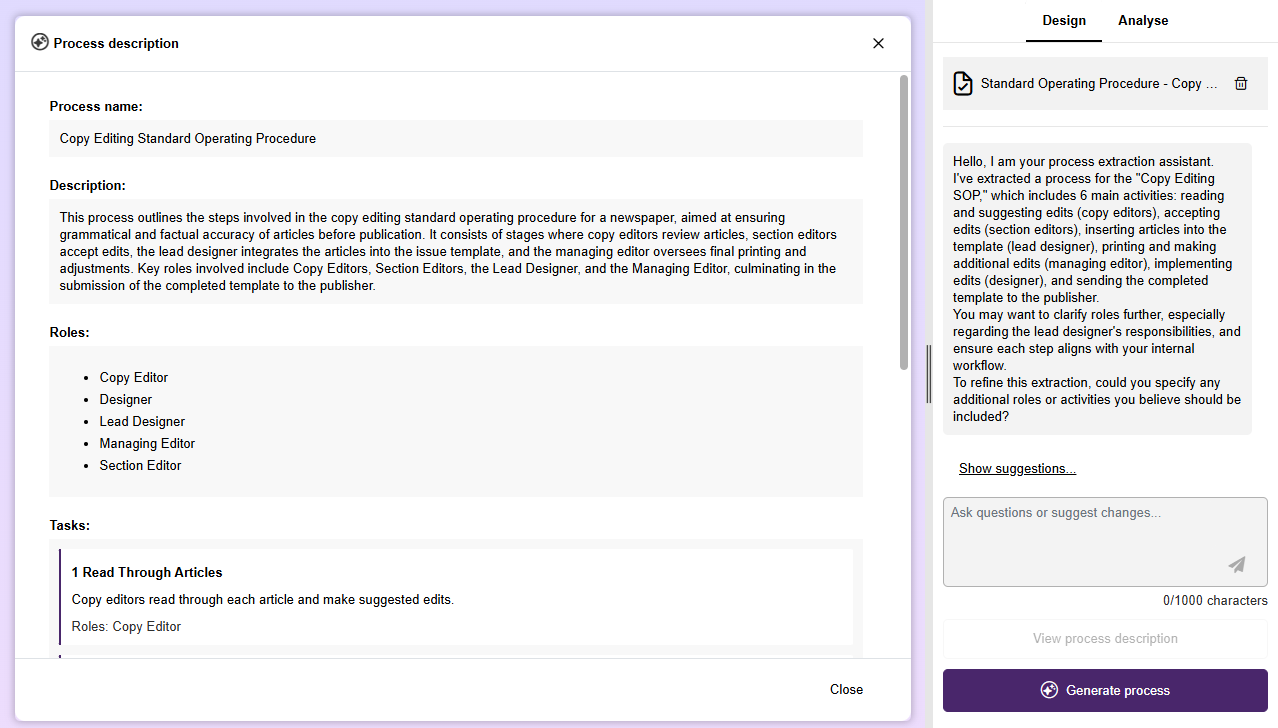
By leveraging advanced AI technologies, the process extraction assistant identifies and interprets the embedded business process and transforms it into a  Business Process Diagram.
Extract the process: Upload an SOP (
PDF,DOCX, orXLSX), and the AI Assistant extracts a clear, structured process description. Upload an SOP (PDF, DOCX, or XLSX). The AI Assistant analyses the document and generates a clear, structured process description as a preview.Review and refine the description: Interact with the AI Assistant in the chat. Any adjustments you request are applied directly to the process description.
Generate the model: With just one click, the refined description is transformed into a complete, graphical process flow.
Process extraction is seamlessly integrated into the Design mode of the AI Assistant. It supports business analysts, process owners, and digital transformation teams in accelerating process modelling and significantly reducing manual effort.
The AI Assistant is available only in the ADONIS Enterprise Edition.
For details on how to turn SOPs into process models using AI, see the section "Design Processes Using AI" in the User Manual.
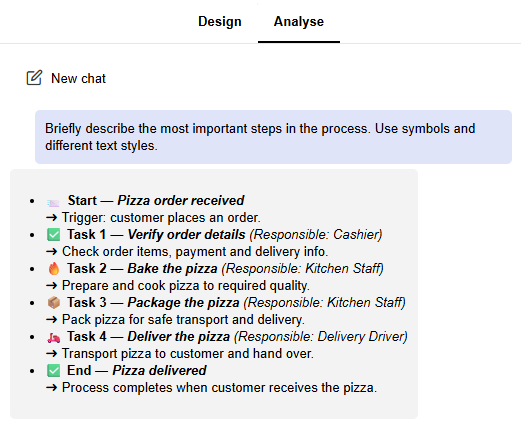
AI Assistant: Improved Chat Visualisation
Responses from the AI are now easier to read and interpret, with better styling, icons, and structured layouts. This enhancement is available in the Understand, Analyse, and Design (Process Extraction) features.
Configurable Dashboards
The new configurable dashboards offer extensive personalisation options. Build your own dashboards by combining widgets such as charts and tables to monitor important metrics and visualise relevant data at a glance.

Drag and drop widgets: Arrange and resize widgets as needed to suit your workflow.
Data sources: Widgets can display information from different sources.
Bar charts, pie charts, table widgets, and number widgets visualise data from saved queries created via the ADONIS search function. For example, you can create a bar chart based on a saved search for
 Processes and display their automation potential.
Gauge charts and line charts are based on a specific model or object. For example, a line chart can visualise changes in indicator values over time.
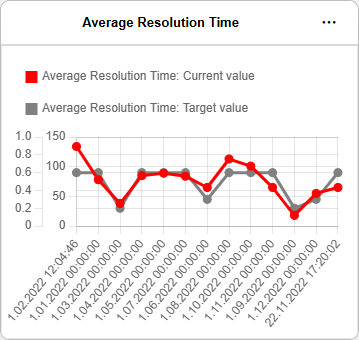
Text widgets allow you to add explanatory or contextual information directly to your dashboard, while image widgets are ideal for logos, illustrations, or other visual elements.
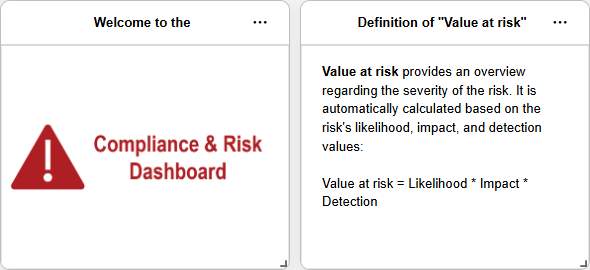
Role-based dashboards: Create dashboards tailored to your responsibilities or specific business scenarios.
Information sharing: Dashboards can be shared with colleagues, helping teams maintain a common understanding and consistent visibility of key metrics.
With configurable dashboards, ADONIS 18.0 empowers you to turn data into actionable insights and bring the most relevant information exactly where it’s needed.
For details, please refer to the section "Configurable Dashboards" in the User Manual.
View Process Hierarchy
Explore the hierarchy of processes directly when viewing a model. A tooltip displays the model’s placement within the process structure, showing the shortest path to a top-level model (a Business Process Diagram or  Process Landscape without any parent models). If the current model is also referenced by other models, these references are listed below the hierarchy.

This helps you better understand how a specific Business Process Diagram or Process Landscape connects to other models. Models listed in the tooltip can be opened directly in the graphical view with a single click.
For details, please refer to the section "View Process Hierarchy" in the User Manual.
ADONIS PME: Compare with Linked Process Model
Conformance checking in the ADONIS Process Mining Essentials (PME) add-on has been extended. On the Conformance tab, you can now choose to compare observed behaviour from the event log directly with a linked Business Process Diagram from ADONIS, as an alternative to the automatically calculated comparison model.
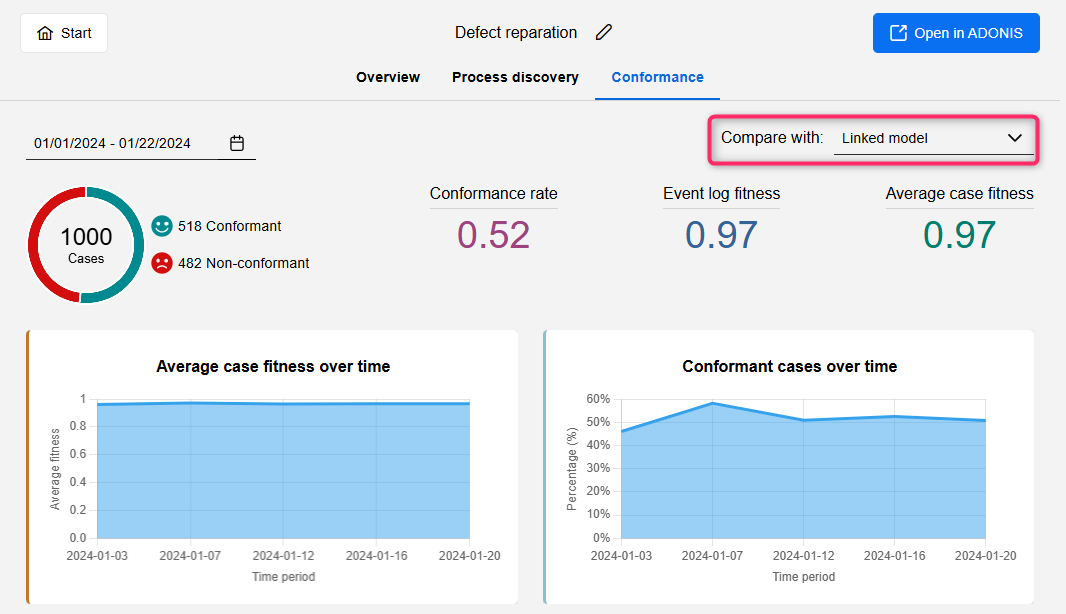
This enhancement provides more accurate and meaningful insights when assessing deviations between real-world execution and defined process models.
PME is an optional, licensable add-on module available on the ADONIS Marketplace. It is only available in the ADONIS Enterprise Edition.
For information on how to use PME, please refer to the "ADONIS Process Mining Essentials (PME) Guide".
New Features for Users of the ADONIS BPMS Application Library
Business Process Diagram: Process Automation Chapter Renamed
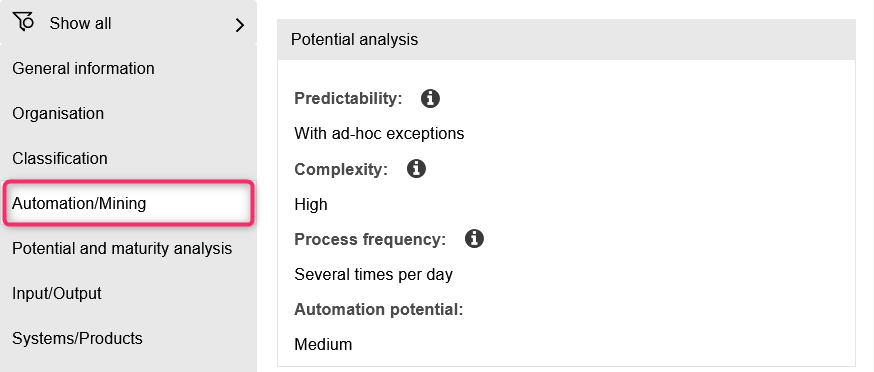
To better reflect its purpose, the Process automation chapter in the properties of Business Process Diagrams has been renamed to Automation/Mining. Functionally, nothing changes.
New Features for ADONIS Administrators
MCP Services: Enhanced Authentication and Security Options
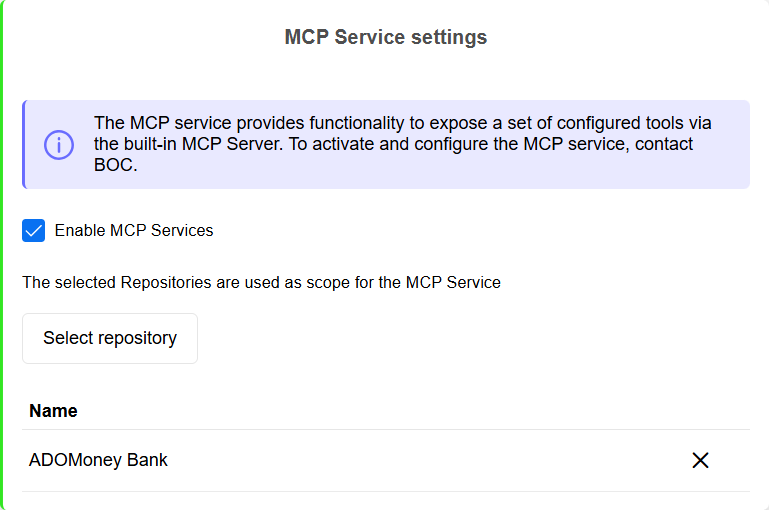
We continue to expand the Model Context Protocol (MCP) server introduced in ADONIS 17.2, which enables AI systems to connect to ADONIS. The following improvements are now available:
MCP Services Decoupled from REST API
To provide clearer separation, the MCP services are now fully decoupled from the ADONIS REST API. The REST API no longer needs to be active, and no authentication mechanism has to be configured for it for the MCP server to function properly.
Extended MCP Security Settings
The MCP tab in the Security Settings now includes two separate IP restriction settings that exclusively control which IP addresses may send requests to the MCP server:
MCP Basic Authentication IP Restrictions: Applies to all Basic Authentication requests.
MCP IP Restrictions: Applies to all OAuth 2.0 authentication requests.
If no restrictions are configured, all IP addresses are allowed.
For details on enabling the MCP services, please refer to the section "MCP Services" in the Administration Help.
Guidance on using the MCP services and a reference implementation in Python for creating an agent is available via the BOC Developer Portal.
OAuth 2.0 & OIDC: Generate Tokens
ADONIS can act as an OAuth 2.0 Authorization Server and OpenID Provider (OP). In this role, it authenticates users for external applications (OAuth 2.0 or OpenID Connect clients), allowing them to sign in with their ADONIS credentials.
For testing purposes, you can now generate access tokens for client authentication and, for OIDC, identity tokens that provide information about the authenticated user, directly in the ADONIS Administration.
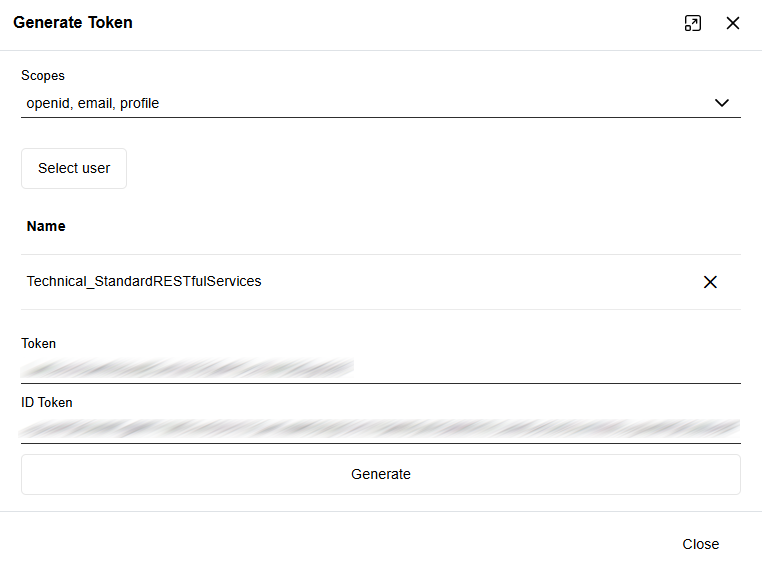
For details, please refer to the sections "Authentication > OAuth 2.0 > Generate Token" and "Authentication > OIDC > Generate Token" in the Administration Help.
OAuth 2.0: "No Scope Provided" Setting
When configuring OAuth 2.0 authentication in ADONIS for the REST API or SCIM services, at least one scope is usually required. The optional No scope provided setting allows ADONIS to accept tokens from clients using the Client Credentials Flow without sending a scope parameter. If enabled, these clients are mapped to the technical user specified in the configuration.
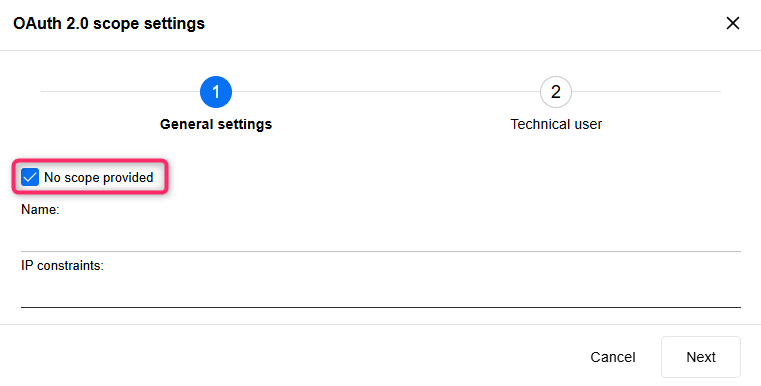
For details, please refer to the sections "SCIM Services > Configure OAuth 2.0 Authentication" and "REST API > Configure OAuth 2.0 Authentication" in the Administration Help.
Extended CORS Security Settings
The Security Settings for Cross-Origin Resource Sharing (CORS) have been extended. Whether you configure CORS at the General, REST or MCP level, you can now not only allow or block CORS for all browser-based requests from other domains, but also define a whitelist of trusted domains.
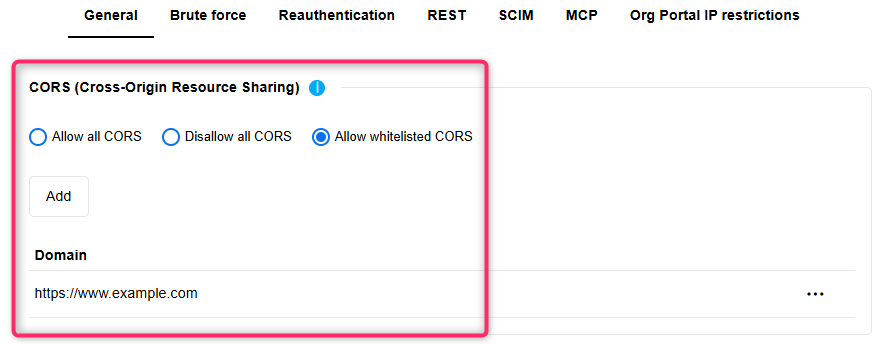
For details, please refer to the section "Security Settings" in the Administration Help.
Properties: Edit Info Texts
Starting with ADONIS 18.0, you can edit the info texts of relations, object types and model types in the Properties component in the ADONIS Administration. These texts can be adapted in all languages supported by ADONIS, helping your users better understand the purpose and meaning of these metamodel elements.
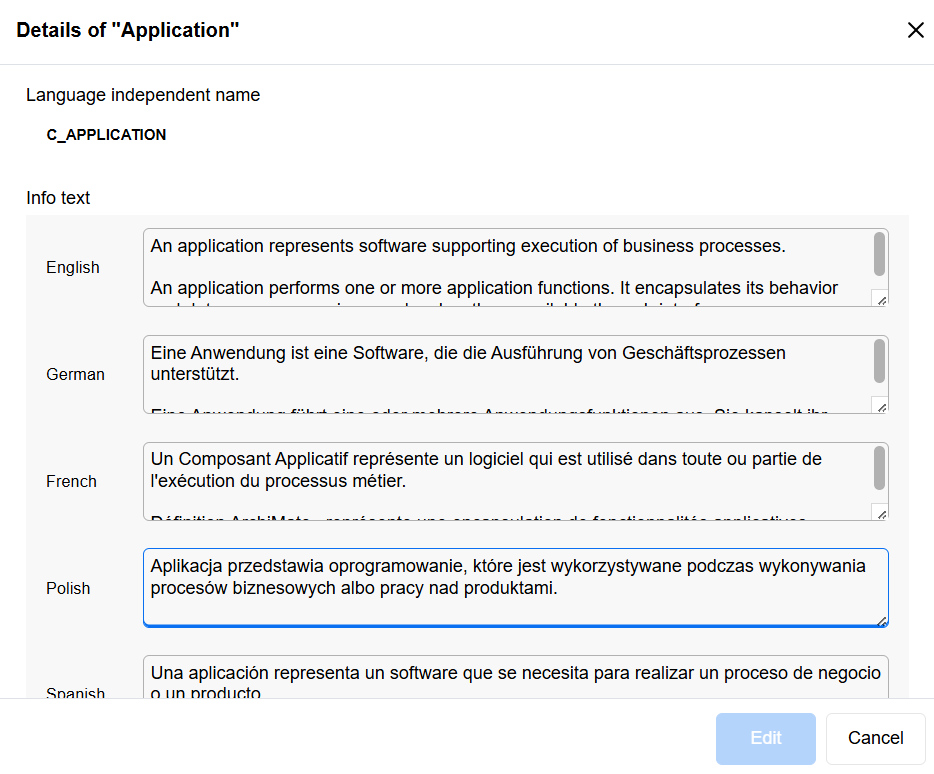
For details, please refer to the sections "Edit Relation Info Text" and "View and Manage Element Details" in the Administration Help.
Clone User: Random Password
When using Clone User, you can create an exact copy of an existing user. Previously, the cloned user received the same password as the original user. Starting with ADONIS 18.0, cloned users are now assigned a random password instead.
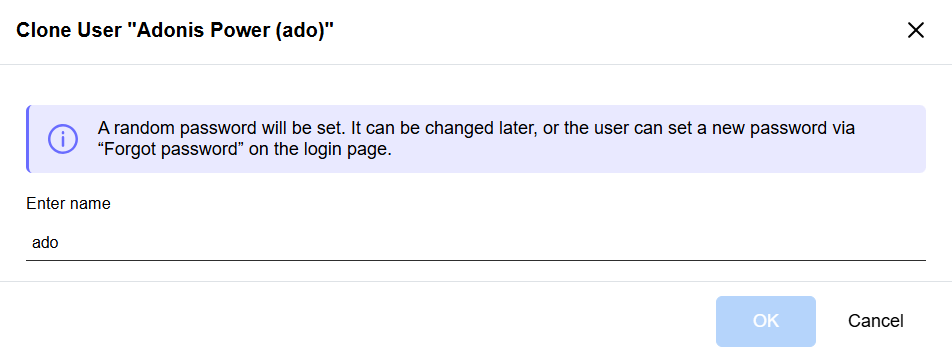
For details, please refer to the section "Clone User" in the Administration Help.
Export Named User List to Excel
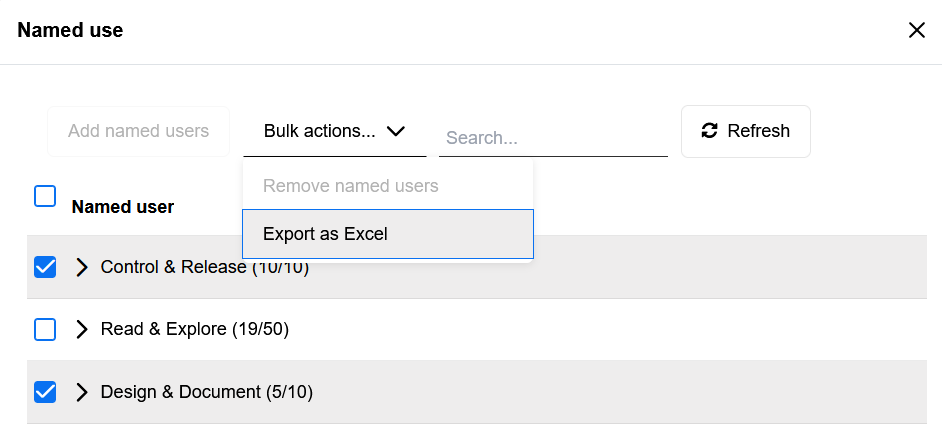
Administrators can now export the list of named users and their assigned licenses directly to an Excel file (XLSX format), making it easy to document license usage, share reports with stakeholders, and perform audits using familiar spreadsheet tools.
For details, please refer to the section "Manage Named Users" in the Administration Help.
SaaS: Email Service Settings Set Automatically
Starting with ADONIS 18.0, the email server settings are automatically configured for SaaS customers, enabling emails to be sent via the cloud email server. This is in addition to the Base URL, which is also set automatically during deployment in SaaS environments.
If required, you can override the default settings and configure a custom email server manually. The email server must be accessible from the internet.
For details, please refer to the section "Email" in the Administration Help.
Removed Features
Recommender Service
The Recommender Service has been removed in ADONIS 18.0. This microservice responsible for recommending models based on usage patterns is no longer available. Users and administrators can continue to explore and discover models using the existing search and navigation features in ADONIS.
Migration from an Earlier Version of ADONIS to ADONIS 18.0
ADONIS 18.0 introduces a new containerised deployment architecture for operating ADONIS server components. Both the ADONIS application server—previously a Windows-based service—and the Tomcat web server now run exclusively as Docker containers on Linux.
ADONIS 18.0 is available only for SaaS customers hosted on AWS. On-premise installations will not be supported for this version.
All SaaS and on-premise customers will be able to upgrade to ADONIS 19.0 LTS, the next long-term support release planned for the end of Q2 2026. This release will be the next official on-premise version and will provide full migration paths for all existing ADONIS environments.