Welcome to ADONIS!
Thank you for your interest in ADONIS. This Quick Start Guide helps you explore the key features in a Standard Test Account and take your first practical steps in a structured way.
This guide gets you productive in Design & Document while keeping explanations brief. For each topic, start with the short introduction here and then continue with the matching ADONIS Fundamentals e-learning chapter if you want to learn by doing. The included ADOmoney Bank sample content serves as a quality reference throughout the guide.
You don’t need to follow the steps in the exact order. Skim once, then focus on the parts you need most.
Before You Start
- You have a User/Modeller login prepared by your BOC Contact.
- The ADOmoney Bank sample content is available as a built-in quality reference.
- Scenarios and basic rights are already preconfigured for the test account.
- In this guide, your main working area is Design & Document.
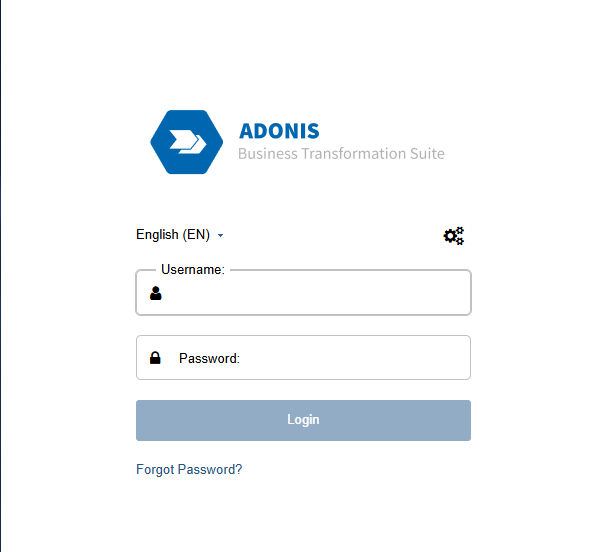
Login
Please contact your BOC Contact because they received the credentials sheet and know your login details.
You are now ready to start exploring ADONIS.
Orientation
Explore the UI and Create Your First BPD
This is your modelling cockpit. The three key areas are:
- Explorer (left): Find models and objects in the repository
- Canvas (center): View or edit the model
- Properties (right): Add the information that makes the process usable and meaningful
In a Test Account environment, a good first goal is simple: open existing content once, understand the UI, and then create your first Business Process Diagram (BPD).
Do it in the Course
If you prefer a more guided “learn by doing” path, sign up for the ADONIS Fundamentals 1: Business Process Diagrams e-Learning. The chapter “ADONIS User Interface” will guide you through your first impression of the UI.
Populate Your First BPMN Process
Once you understand the UI, the next step is to create a first process draft. In a test account, this is where you start experiencing ADONIS as an actual modelling tool instead of only a repository viewer.
Option A "Classic"
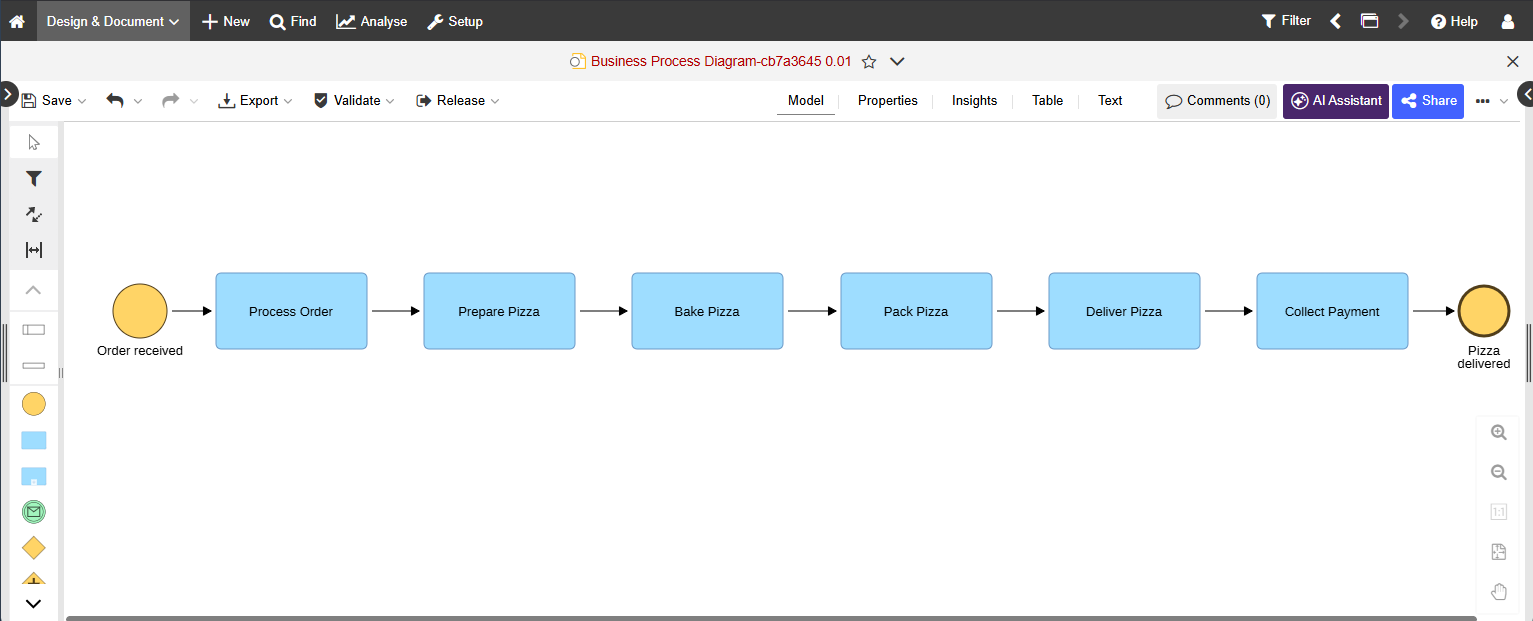
Model the happy path first with a clear start and end and 3–7 concise tasks. Keep labels clean by using a Verb + Object style, minimise gateways, and focus on readability.
A practical first sequence is:
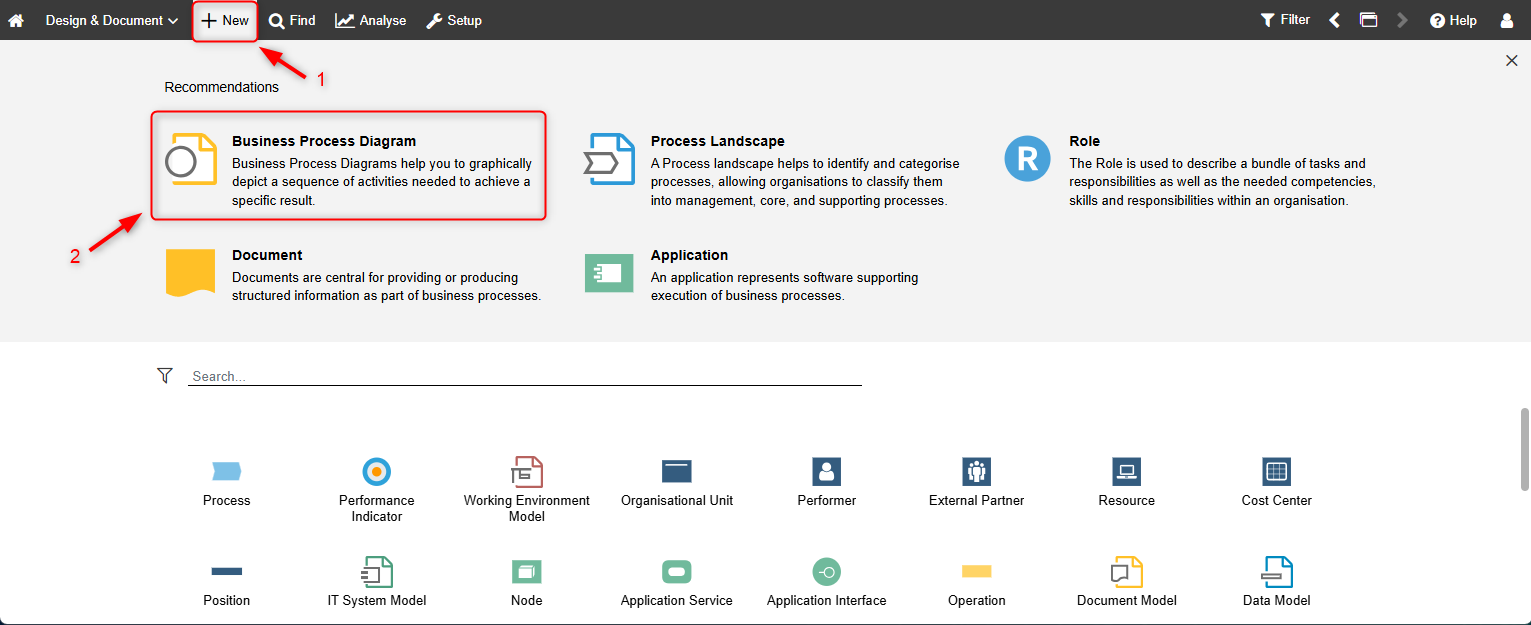
- Create a new Business Process Diagram.
- Add the first activities and connect them in the right order.
- Use the Hover Modelling Assistant to continue the flow faster.
- Save early and store the model in the correct location.
Do it in the Course
“Model Your First Process” is covered in the ADONIS Fundamentals 1: Business Process Diagrams e-learning. The chapters “How to create a Business Process Diagram” and “How to add responsibilities and alternative paths” teach the basics.
Option B "AI-Assisted"
If the AI Assistant is available in your test account, you can use Create Mode to generate a first BPMN draft from a simple natural-language prompt. This is useful when you want a fast starting point that you can then refine manually.
For more details, see AI Assistant.
Turn Properties into an Operational Playbook
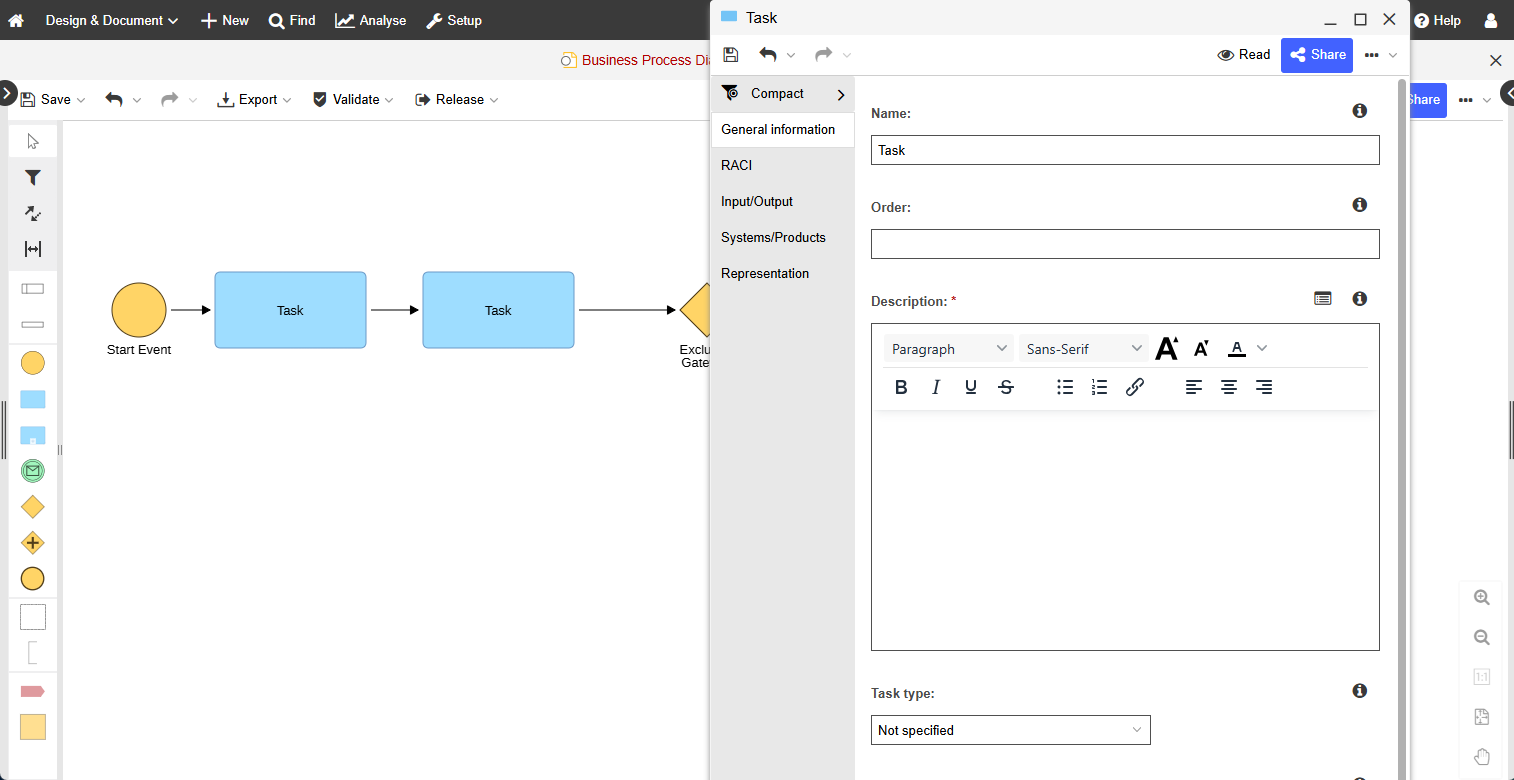
A diagram becomes truly useful when it contains the information people need to execute, understand, and govern the process. The Properties of the process and its tasks turn your model into an operational playbook.
Use Properties to define, for example:
- The Process Owner
- Responsibilities such as RACI information
- Important inputs and outputs
- Linked documents and applications
This is what makes the process ready to be shared, published, analysed, and later governed through release workflows.
Our Recommendation
Properties can have global values and model-specific values depending on where you open them from, for example object catalogue versus graphical editor. This matters when you maintain shared objects.
For more details, see Add Information to Models & Objects.
Do it in the Course
For guidance on your first Notebook or Properties experience, continue with the ADONIS Fundamentals 1: Business Process Diagrams e-Learning. The chapter “How to enrich your Business Process Diagram” teaches the basics of adding information to your notebooks and properties.
Essentials Accomplished
At this point, you can already do the core basics:
- Navigate the UI
- Create a first BPMN process
- Enrich it with relevant process information in Properties
Before moving into analysis and governance topics, there is one more structural step that matters: connecting your process to the broader process architecture.
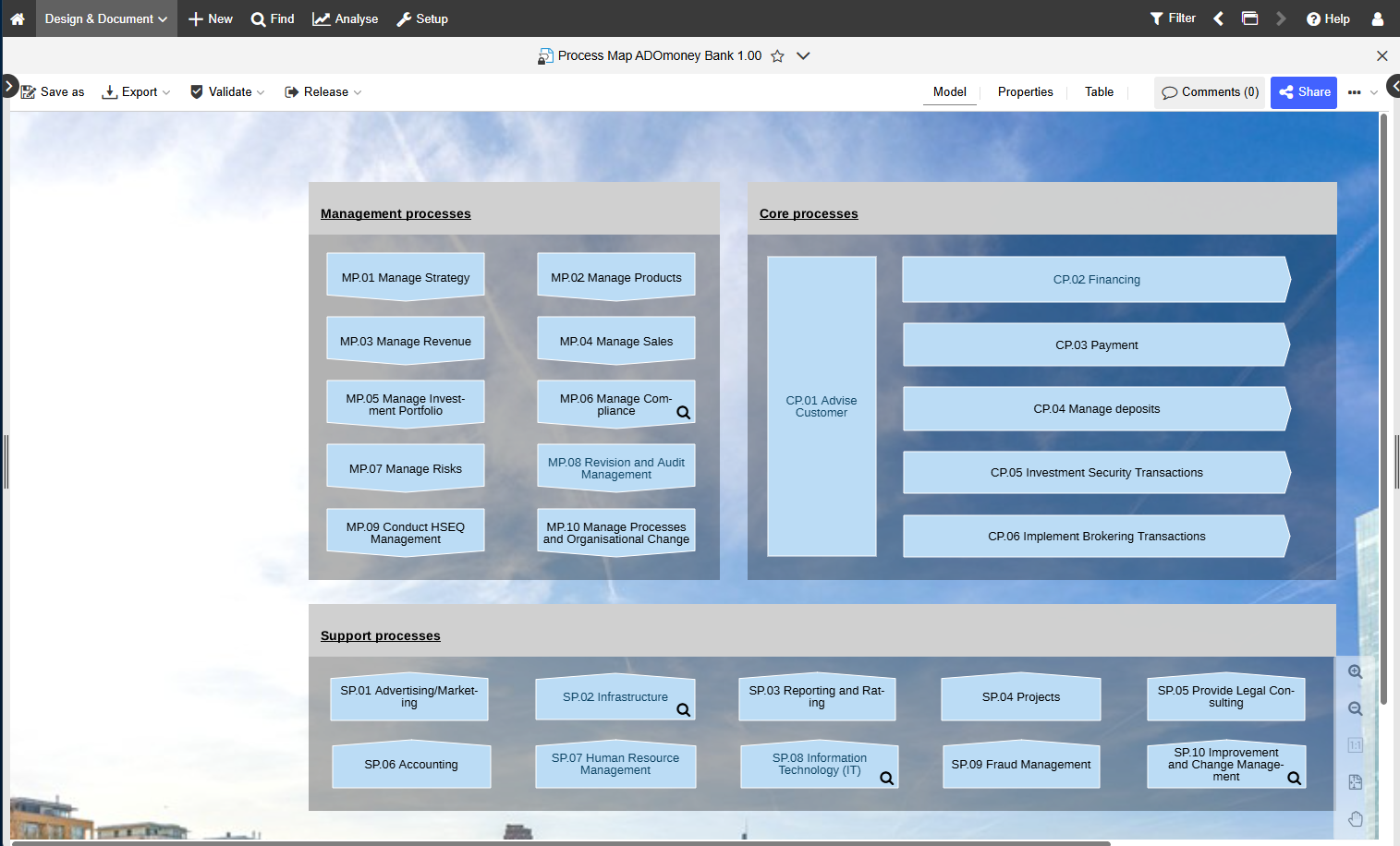
Create a Process Landscape and Link Your BPDs
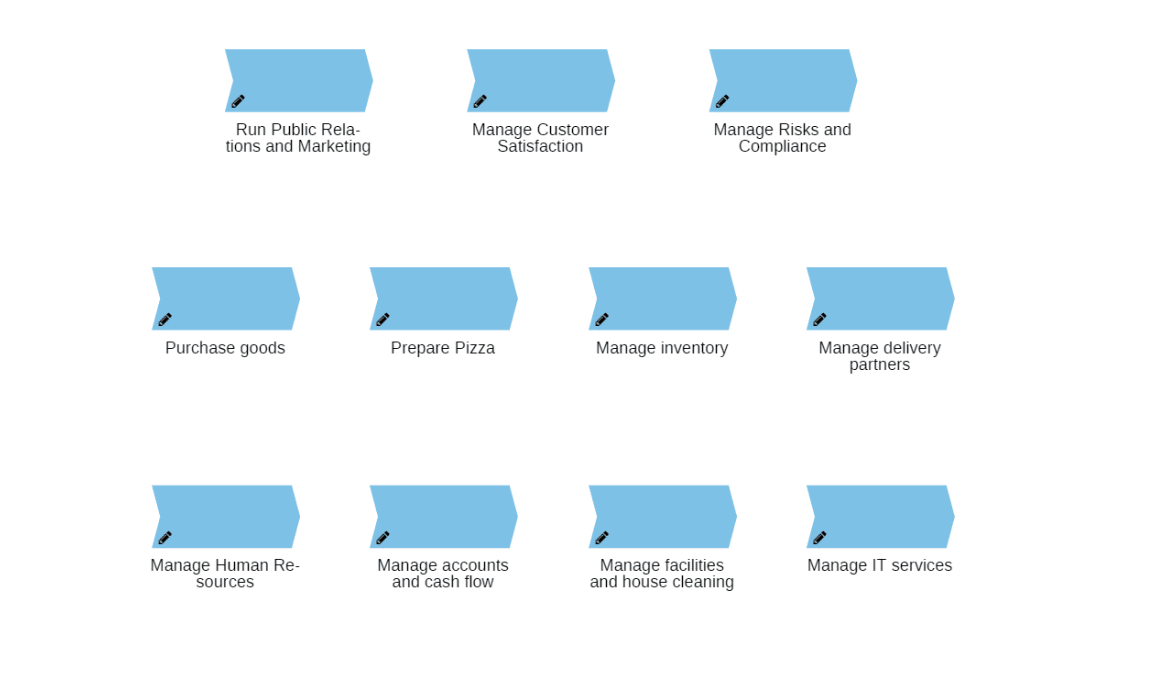
Process Landscapes are the map of your BPM world. They show where a process sits in the bigger picture and make navigation easier for readers, reviewers, and stakeholders.
Link your process into the landscape so users can:
- Find it faster
- Understand its context
- Navigate related processes with confidence
Why is This Important Before Accessing Insights?
Once your Business Process Diagrams are linked to the right Process Landscape, they are no longer isolated diagrams. They become part of a structured process architecture.
That matters because Insights builds on exactly that structure. If models are maintained consistently, linked to the right repository objects, and connected within the process architecture, ADONIS can turn them into meaningful dashboards instead of isolated diagrams.
Do it in the Course
For your Process Landscape orientation, sign up for the ADONIS Fundamentals 2: Process Landscapes e-Learning. It explains why you need Process Landscapes, how to create them, how to link your Process Diagrams to them, and how to add key information to enrich them.
Modelling Tips & Tricks
You now know the essential first steps in ADONIS. The next quick win is to improve modelling speed and quality through better editing habits.

Do it in the Course
For more valuable modelling tips and tricks, sign up for the ADONIS Fundamentals 3: Modelling Tips & Tricks e-Learning. There you will learn how to conveniently edit process flowcharts, align objects for improved readability, and use many other quality-of-life features.
From Process Architecture to Insights
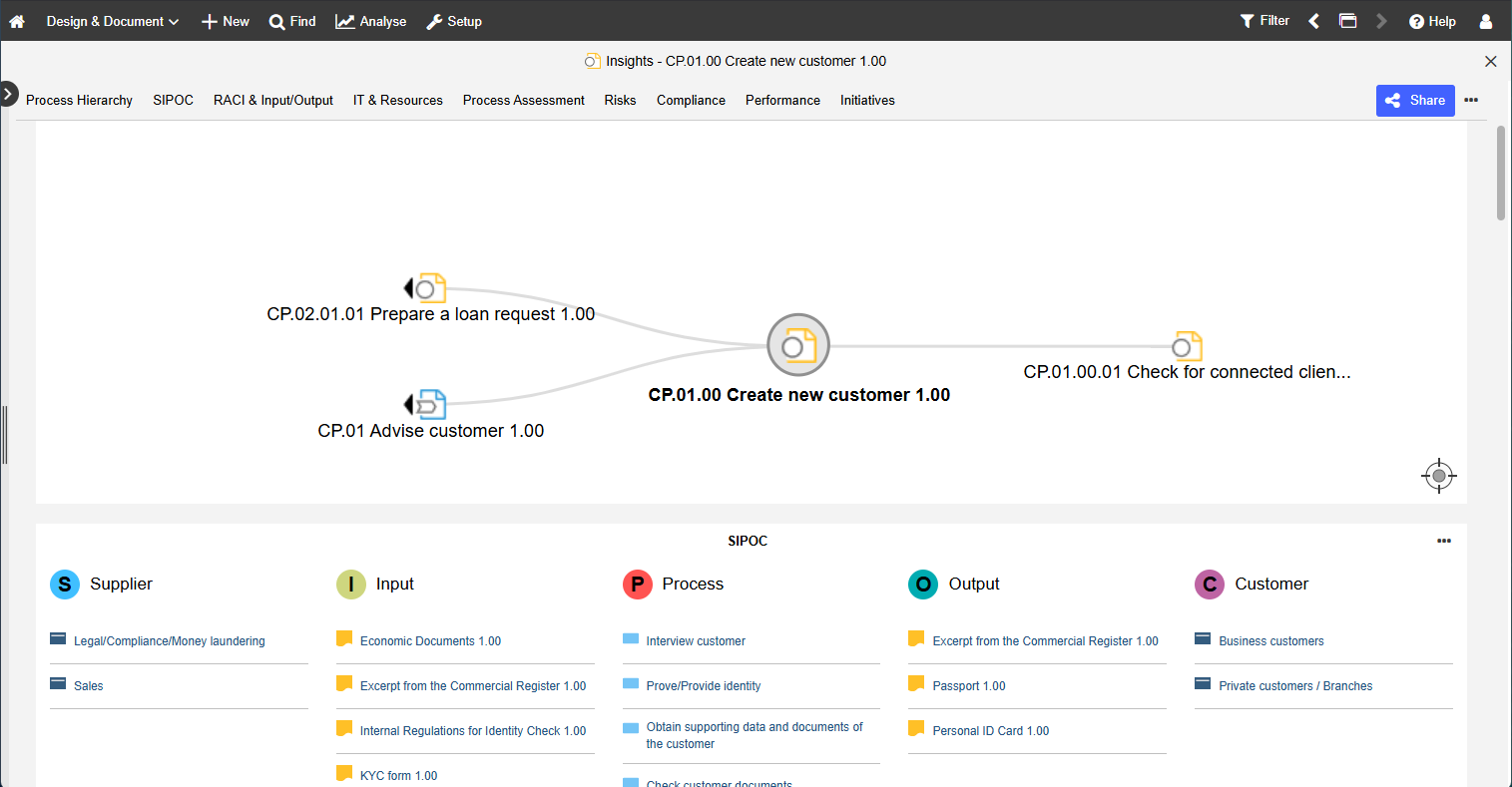
To make the most of the processes you just created, stakeholders also need an easy way to understand the information behind them. ADONIS Insights turns maintained models and repository relations into dashboards, KPIs, and visual summaries.
Do it in the Course
For a guided self-service learning path, continue with the Insights chapter in the ADONIS Fundamentals 4: Understanding data in ADONIS e-Learning.
What You Need to do to Actually See Insights
Insights become meaningful when ADONIS has enough structured information to analyse across models.
Before using Insights, make sure that:
- The key information is filled in on your process models, for example who is responsible and which objects are linked
- Your processes are linked to the relevant repository objects such as roles, documents, applications, risks, or controls
- Your diagrams are connected correctly within the process architecture
In other words, "maintained consistently" means that your process models are not only drawn, but also enriched with the information and links that ADONIS needs to interpret them across the repository.
Leverage Our AI Assistant for Even More Insights
Use the Analysis Mode for intelligent, AI-powered analysis to detect inefficiencies across workflows. The AI Assistant can analyse models, highlight improvement opportunities, and help you interpret process information faster.
Want to learn more? Click here.
ADOmoney as a Quality Baseline
The ADOmoney Bank sample content is one of the best ways to understand what “good” can look like in ADONIS. Use it actively as a reference for naming, structure, lane usage, and model completeness.
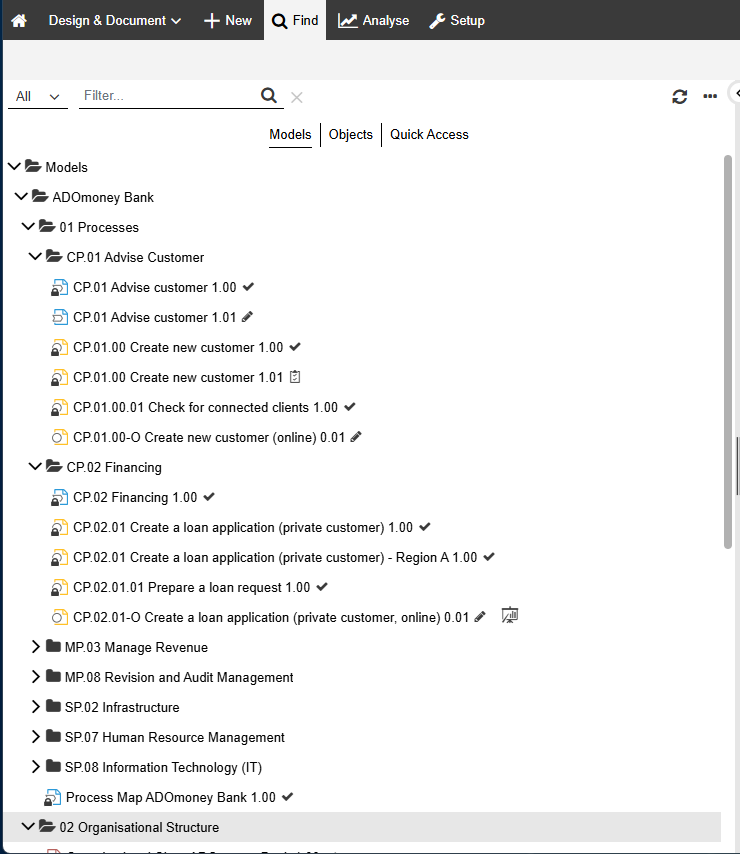
To access the sample content, open ADOmoneyBank in the Explorer.
A good reference path is:
01 Processes → CP 0.1 Advise Customer → CP 01.00 Create new customer
Open the Business Process Diagram and observe, for example:
- Naming style
- Lane structure
- Level of detail
- Completeness of the Properties/Notebook content
Then mirror these patterns in your own BPM initiatives.
Validation
Validation helps you check whether your process complies with BPMN rules and modelling guidelines before you hand it over or release it.
A simple rule for test accounts: validate before you present, review, or release.
For more details, see Validation in the Online Help.
Release It (Submit, Approve, Release)
If your Standard Test Account includes the standard release setup, the next step after modelling and validation is to submit the process for approval.
A common standard setup uses a two-step workflow in Control & Release:
Methodical review
- Notation
- Layout
- Naming conventions
- Completeness of the Properties
Business approval by the Process Owner
After both steps are approved, the state switches to Released and the process becomes visible in Read & Explore.
Tip: before submitting, double-check both dimensions:
- Methodical essentials: Clean start/end, minimal gateways, clear labels, validation passes
- Business essentials: Owner set, roles/org units assigned, key inputs/outputs and documents/applications linked
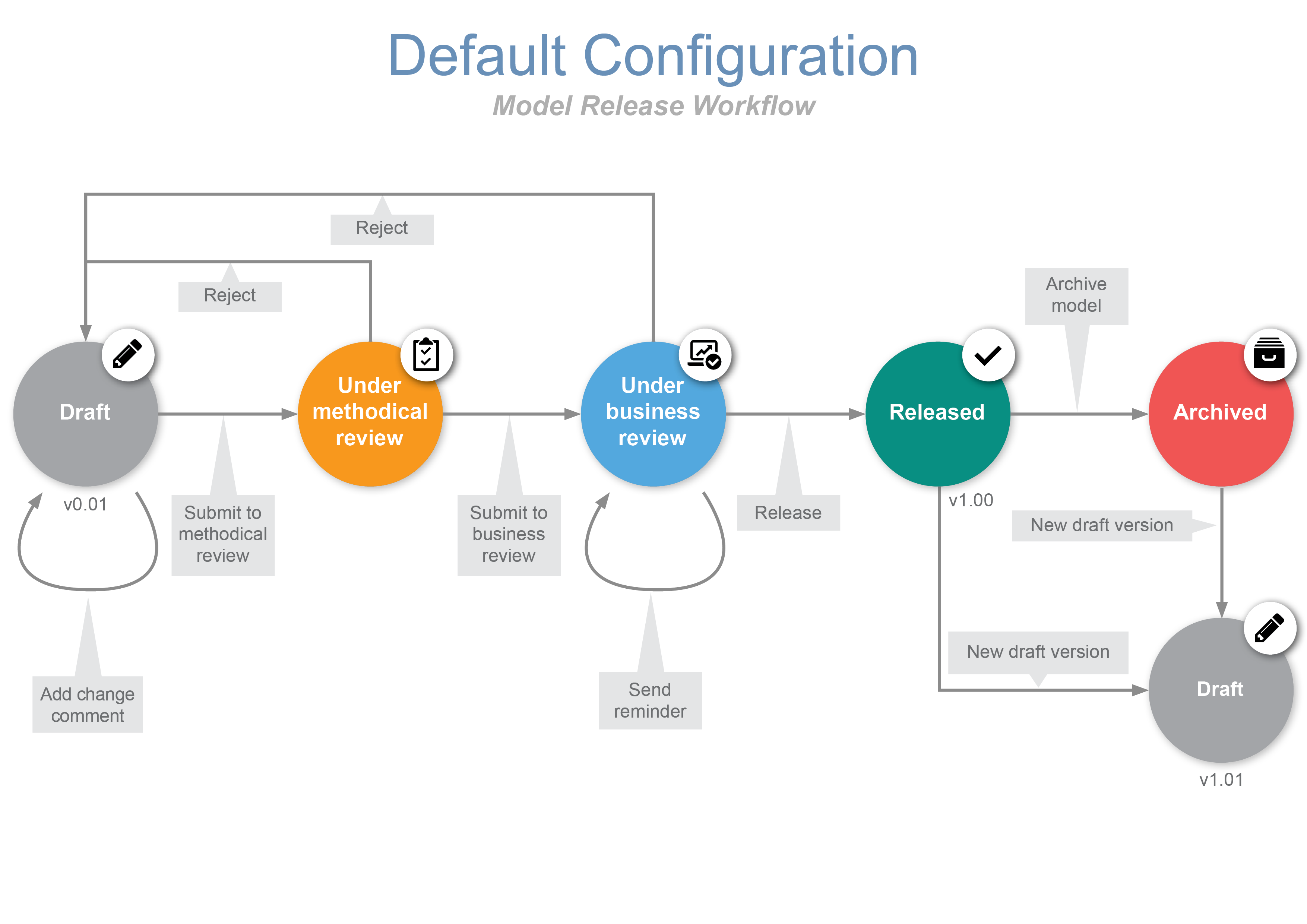
The Release Workflow is flexible and configurable. In many standard setups, it supports a four-eyes approval principle with methodical and business review.
For more details, see Release Workflows and Filter Models & Objects.
Final Checklist
Congratulations, you made it to the end of our ADONIS Quick Start Guide for Users. Here is a final checklist to make sure you are ready:
- You can navigate Explorer → Canvas → Properties.
- You built a small BPMN process and completed core properties of the process and its tasks.
- You understand why Process Landscapes and linked repository objects matter before using Insights.
- You ran Validation and fixed issues.
- If your setup uses release workflows, you submitted the model and understand how it becomes Released in Read & Explore.
Great job. You have completed the first practical steps in ADONIS and can now continue exploring the software at your own pace.
Continue Learning With Self-Service Resources
To keep building confidence and solve questions independently, use the following self-service resources:
When you Need Practical Product Help
Use the BOC Support Center and the ADONIS Online Help when you need step-by-step guidance for concrete tasks such as modelling, reporting, release workflows, sharing, settings, or troubleshooting. The Support Center is the central place for help, training, FAQs, and product updates.
When you Want to Learn Visually
Use the ADONIS tutorial videos if you prefer to see workflows in action rather than read through longer documentation.
When BPMN Notation Becomes the Bottleneck
Use the BPMN Guide, the BPMN introductory blog article, and the free BPMN poster to strengthen your understanding of the graphical notation used in ADONIS.
When you Want Broader BPM know-how
Use the BPM Blog for practical BPM topics and expert insights, and the BPM Resource Library for webinars, posters, whitepapers, and other learning materials. Both are key follow-up resources once you have taken your first steps in ADONIS.
When you Want Guided Hands-on Training
Use our free ADONIS e-Learnings. They serve as a hands-on introduction to ADONIS and BPM, covering process diagrams, landscapes, validation, dashboards, exports, and sharing. They are targeted at BPM beginners and practitioners, including process owners, modellers, analysts, quality managers, and team leads.
When you Want Examples of What Good Content Looks Like
Explore the ADONIS sample content if it is available in your environment or has been imported by your Master User. Sample models are a way to understand how process architectures, drill-downs, and process documentation can be structured in ADONIS.
Suggested Self-Service Learning Path
A practical next-step sequence is:
- Use this Quick Start Guide for your first test-account tasks.
- Use ADONIS e-learnings when you want a structured, guided learning path.
- Use ADONIS Online Help whenever you get blocked in a specific activity.
- Use the tutorial videos when you want to see the workflow visually.
- Use the BPMN Guide and BPMN poster when notation becomes the main challenge.
- Use the BPM Blog and BPM Resource Library to deepen your BPM knowledge over time.
For any further questions or concerns, reach out to your BOC contact person.