Welcome to ADONIS!
Thank you for your interest in ADONIS! This Quick Start Guide helps you explore the key features in a Standard Test Account. It guides you and your colleagues through the first steps so you can test ADONIS effectively and unlock the full potential of our software.
You don’t need to follow the steps in the exact order. Review them and prioritize or skip as needed.
Before You Start
You have received an email with Master User credentials. This sheet contains a username, a one-time password and a link to the test account.
You have received an email with a credentials-sheet. This sheet contains the login details of your colleagues and a link to the test account.
Your test account already includes the ADOmoney Bank sample content by default.
Login
You received two emails from your BOC contact:
- A Master User sheet with your username, a one‑time password, and the web client URL.
- A credentials sheet listing your colleagues (Users/Modellers and Readers) and the link to the test account.
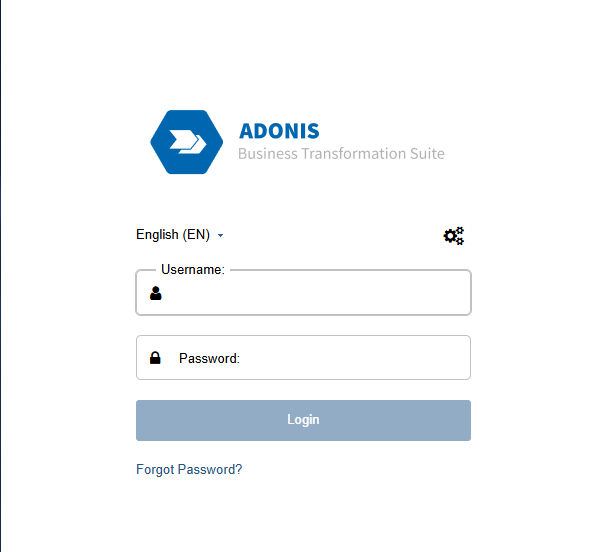
Click the URL in the Master User sheet, sign in with the Master User credentials, and change your password on first login.
Standard test accounts are limited. Some settings are available only in the Account Administration (accessible to the Master User). Other administration features of production systems are intentionally restricted in test accounts.
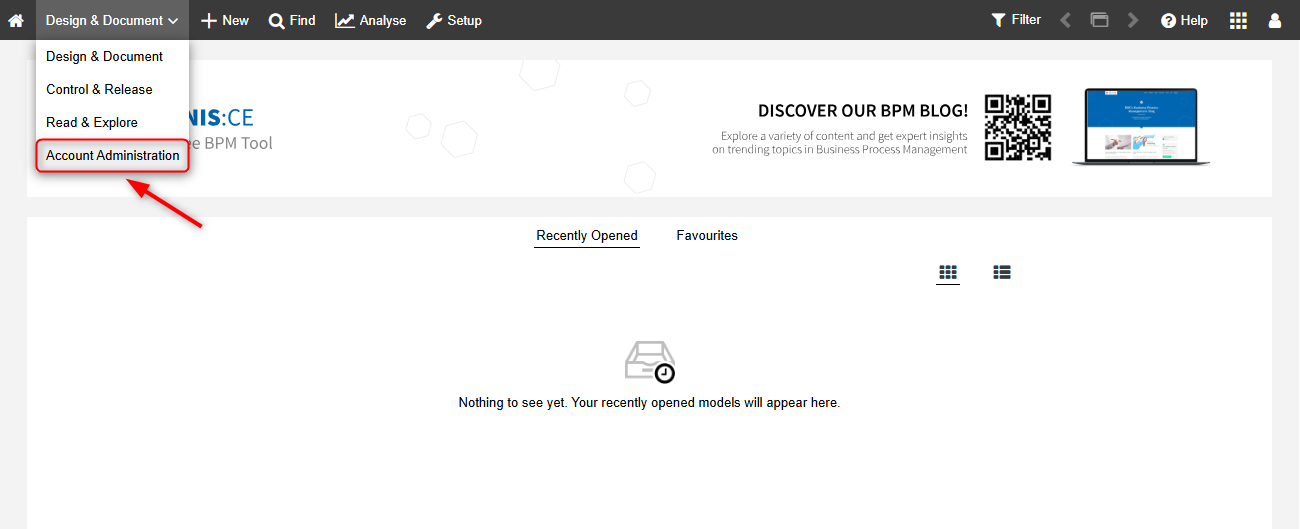
Switch to the Account Administration (Master User)
Your first task as Master User is to switch from Design & Document to Account Administration to prepare the account for your colleagues (update user info, ensure access).
Add Information to the Users (Recommended)
Your are now in the Account Administration. This lets you add information to the Users of your colleagues you received with the credentials sheet. After switching to the Account Administration, this will be the first thing you see:
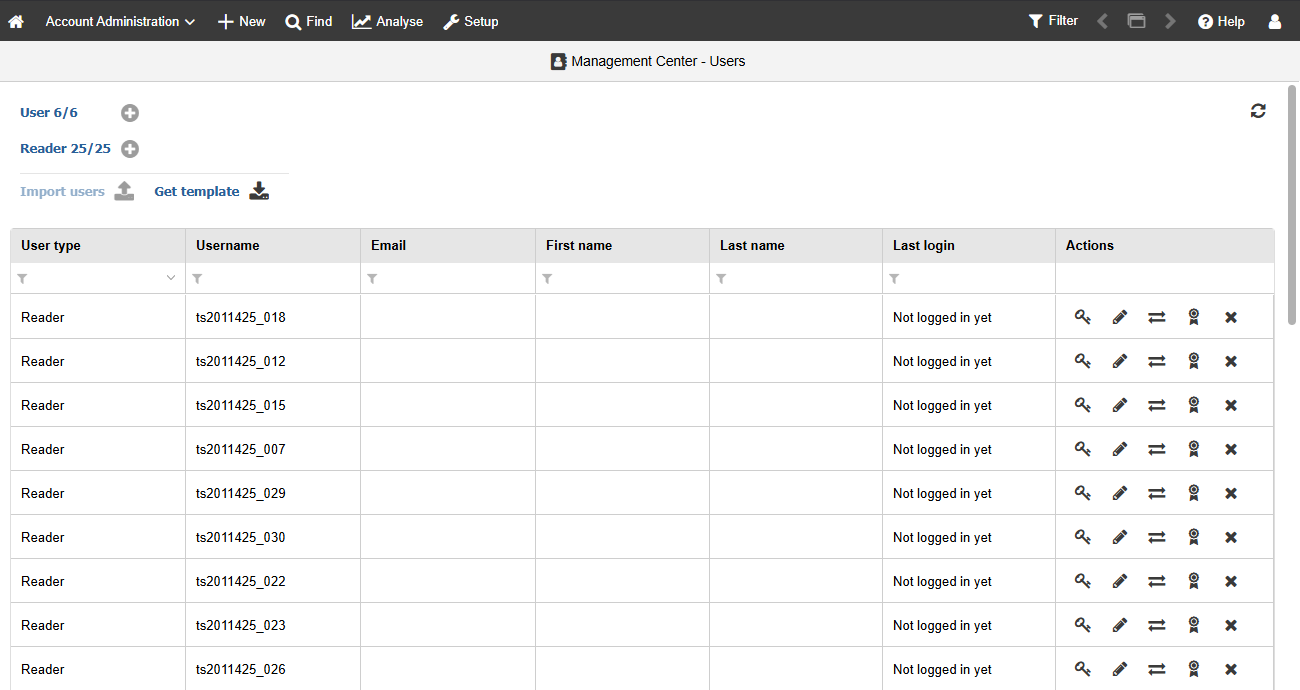
The list displays the following information:
- User type: User/Modeller (creates/edit models) or Reader (consumes released content).
- Username
- First name / Last name
- Last login
- Actions (available operations)
Usually, the Username matches the email of the user - since you are using a test account with pre-defined Users, this is not the case. We recommend that you add Emails for each user and First name and Last name if necessary. With this, the Users will be able to trigger a password reset.
Final Checklist
Master User login works and you were able to access the Account Administration?
Great job! You’ve successfully completed the first steps in ADONIS! Now you and your colleagues can continue exploring and testing the software at your own pace. To make the most out of your test account, here are useful features and resources:
Already using ADOIT? Discover the possibilities of integration with ADO Connect:
Explore all extensions for ADONIS in our BPM Marketplace:
For more insights, know-how, and useful tips:
Want to learn more about the Master User? Browse through our documenation:
Got more questions? Browse our FAQ section for many interesting topics:
For any further questions or concerns, reach out to your BOC contact person!